
Data Center
Server racks, rack servers, cable trays and the room around them. 73 blocks: pick any one below, paint it, power it, break it.
Loading block
State
View
Switch to Broken to pull the pieces apart.
Paint
What's in it
Server racks
Open frame, split front doors, or doors front and back. 24U or 42U.
Rack servers
Compute, storage, a network switch, a UPS you can swap cells in, a KVM console.
Cable trays
Straights, turns, tees, drops into the racks, and hanger rods to hold them up.
The room
Raised floor, chilled-water in-row coolers, power cabinets, containment doors and roofs, aisle signs.
73 blocks in all
Under the hood
This block
- Pick a block
- Its details show here.
The mod
- Version
- 0.9.0, the first Workshop release.
- License
- GPL-3.0. The source is on GitHub.
- Scripts
- Optional. Everything works without them; with them, the KVM drawer gets its full motion.
- Build menu
- Automation, then Data Center. Size variants share a name.
- Racks
- 24U holds 4 servers. 42U holds 8, plus an overhead tray and fans.
- Layout
- Rows on a 1 m pitch. Containment for 1.0, 1.5 and 2.0 m aisles.
- Building
- Construction stages with scaffolding on every block.
- Damage
- Every block has damaged models. All but the hanger rods and the long drop chute also break apart by zone.
- Signs
- Aisle signs and rack labels are editable LCDs.
Playing with scripts
The mod works without scripts. Its C# scripts add three things: the sequenced KVM motion, a KVM that waits for the rack doors, and the Programmable server's script editor. Space Engineers 2 runs mod scripts only when the game is started with -loadScripts.
- Steam (Windows, or Linux through Proton): Library → Space Engineers 2 → Properties → Launch Options, add
-loadScripts. Remove it to go back. - Saves are identical with and without scripts, so you can switch at any time.
- Multiplayer: every player and the server should use the same setting. The differences are visual only.
Up close
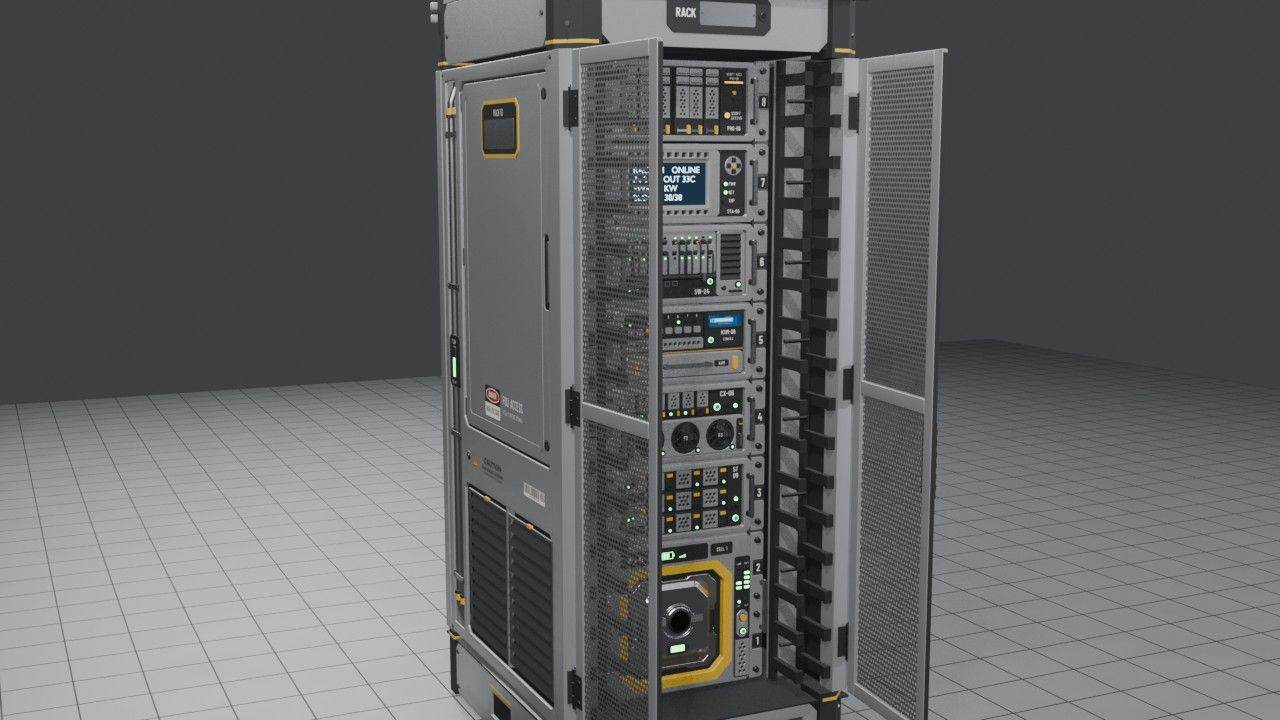
Server racks
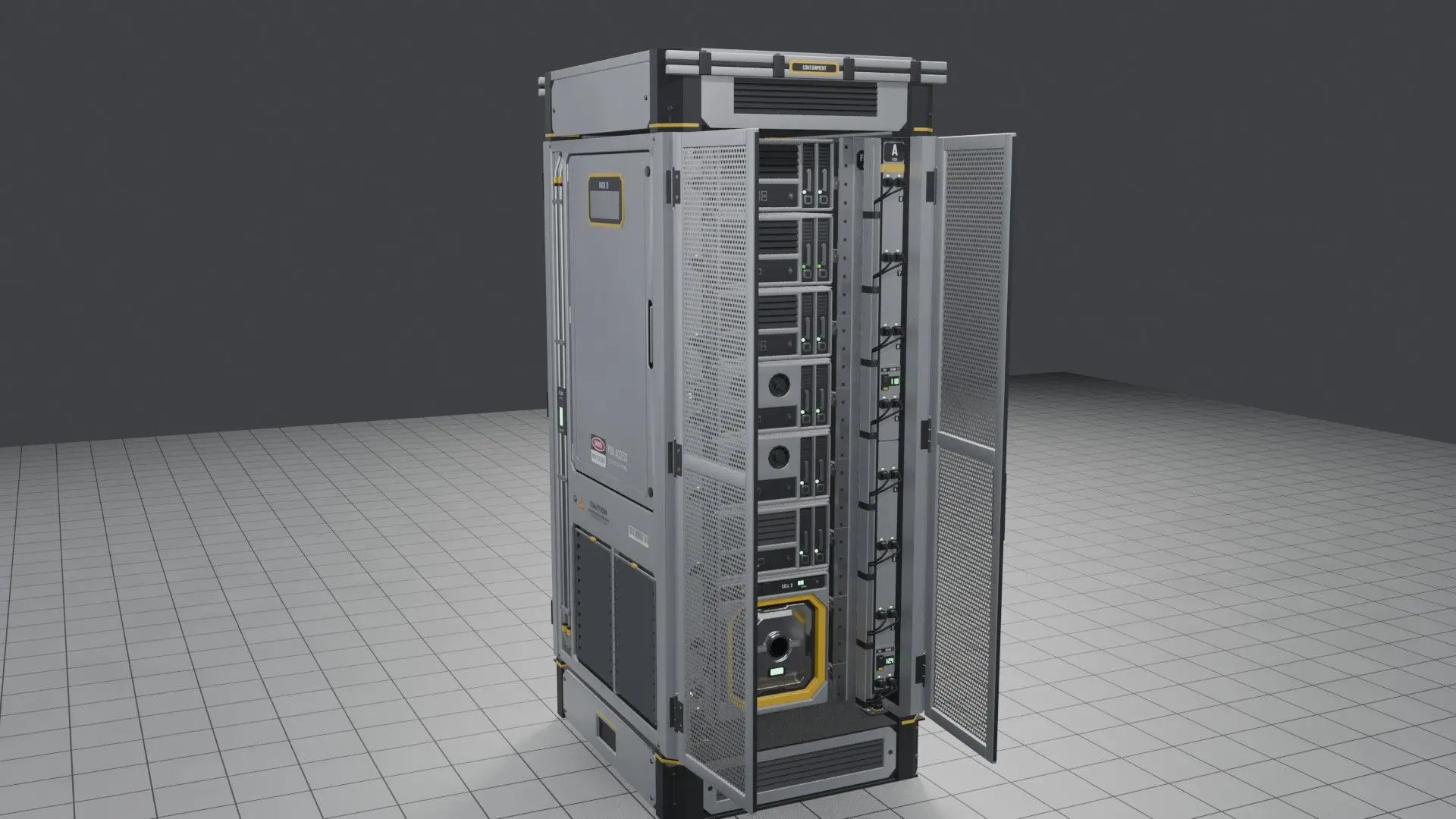
Two heights: 24U with 4 server slots, and 42U with 8 slots, a fan tray and an overhead cable-tray mount. Each comes as an open frame, with split front doors, or with front and rear doors. The perforated doors swing 85° toward the aisle.
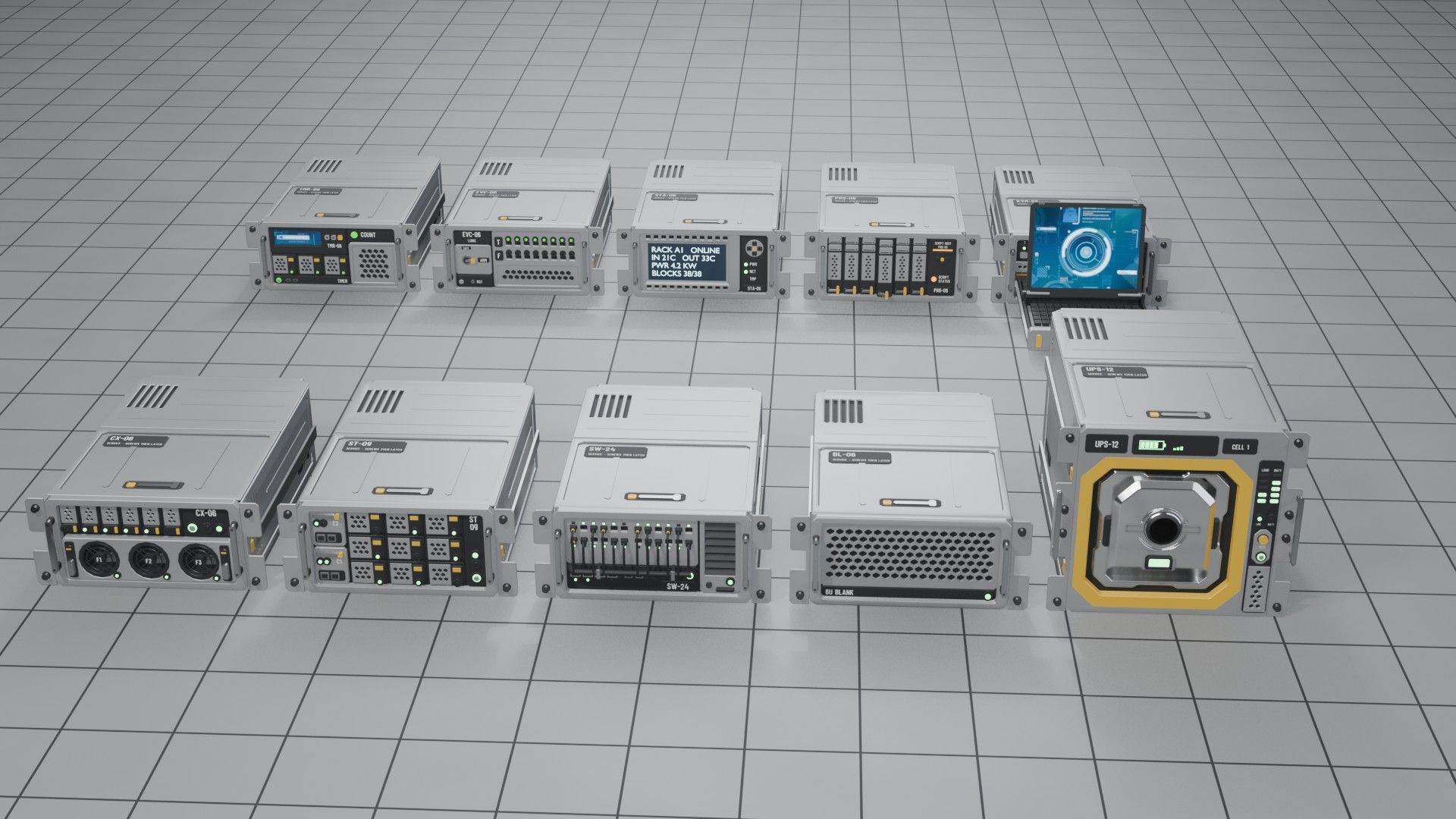
Working rack servers
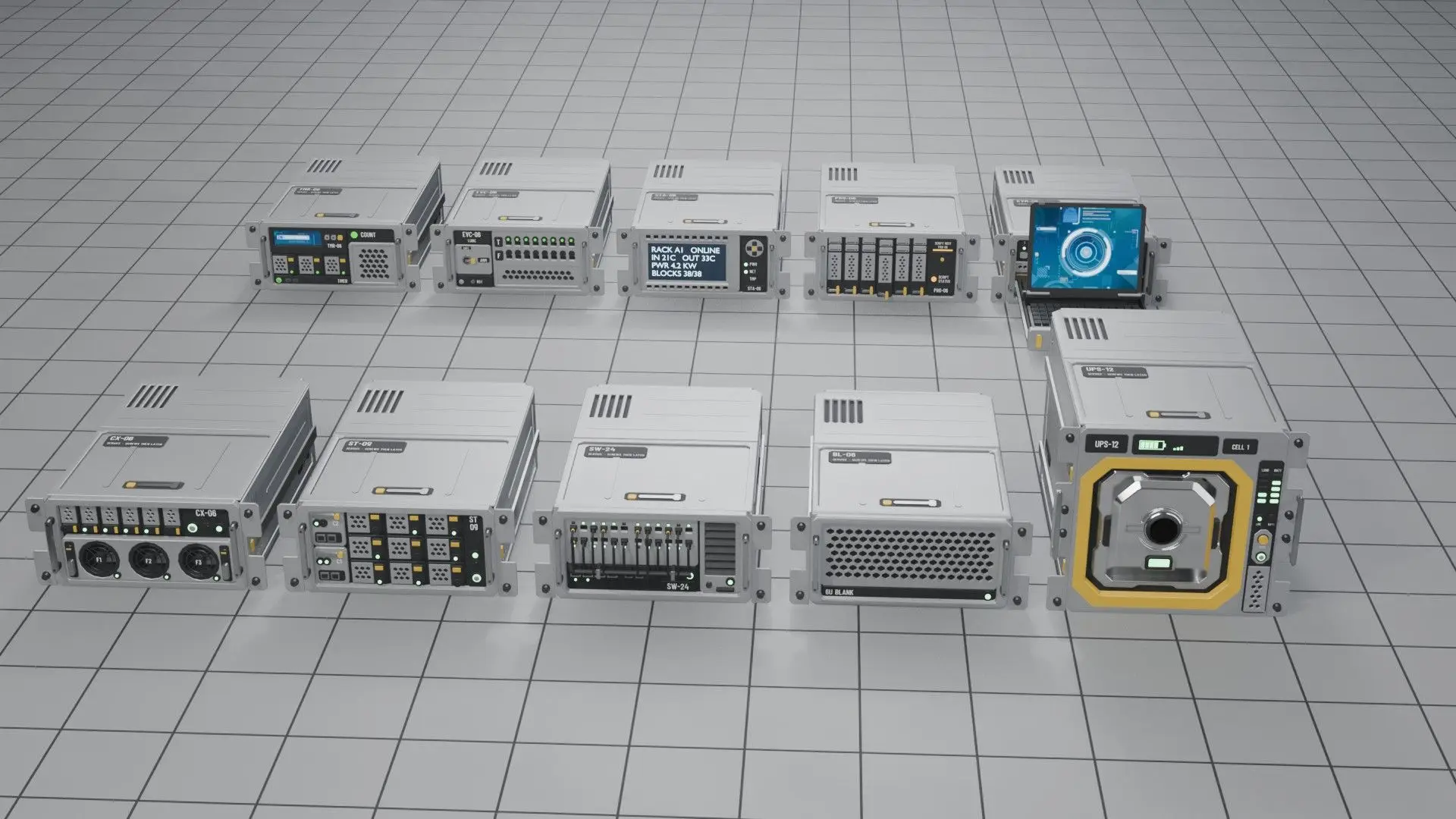
The Timer, Event Controller, Status Display (an LCD), UPS (a battery with two swappable Power Cell bays) and Programmable servers work like the vanilla blocks. The KVM console is the sixth working server. Compute, Storage, Network Switch and Blanking Panel are there to fill the rack.
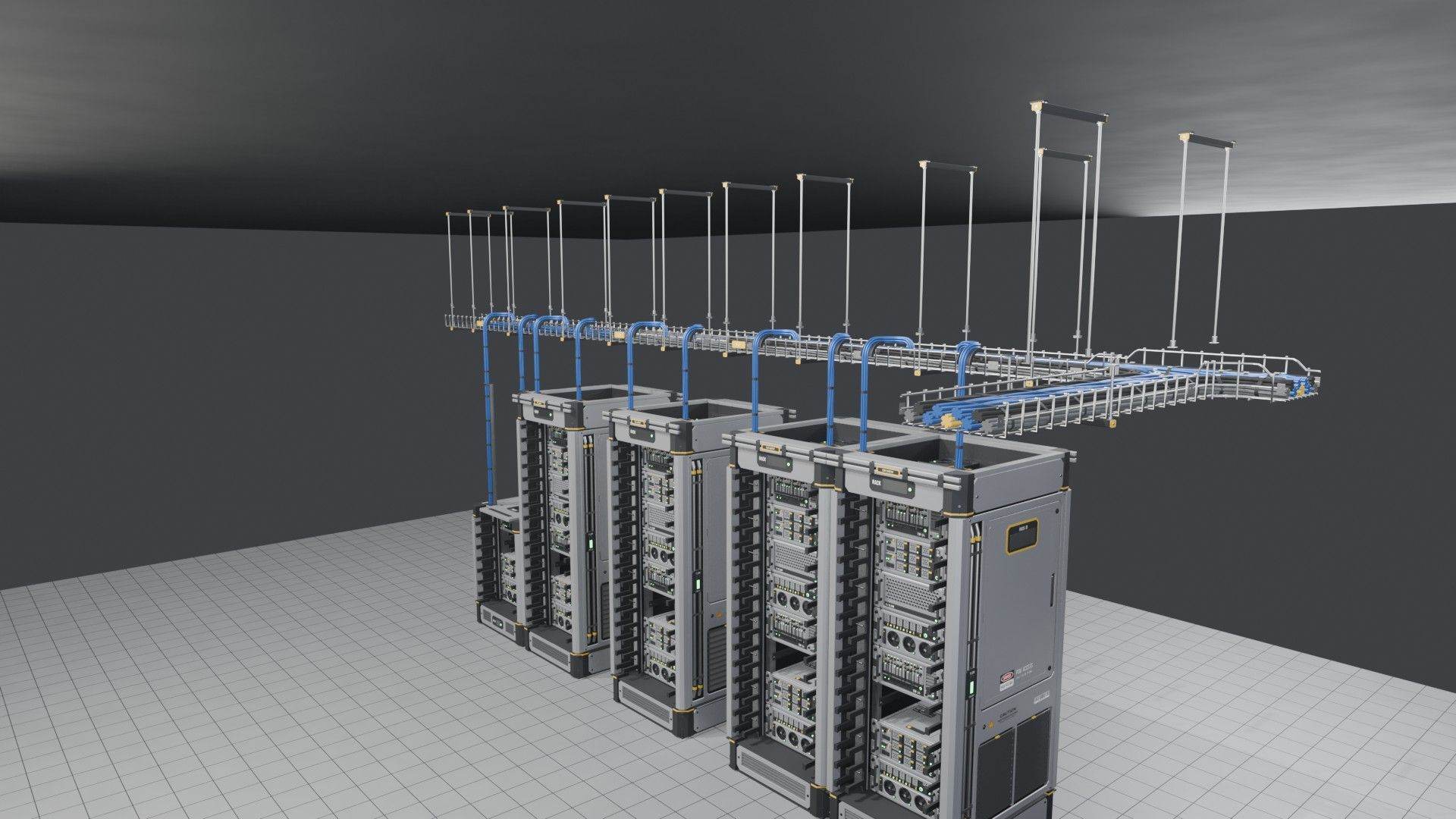
Cable trays
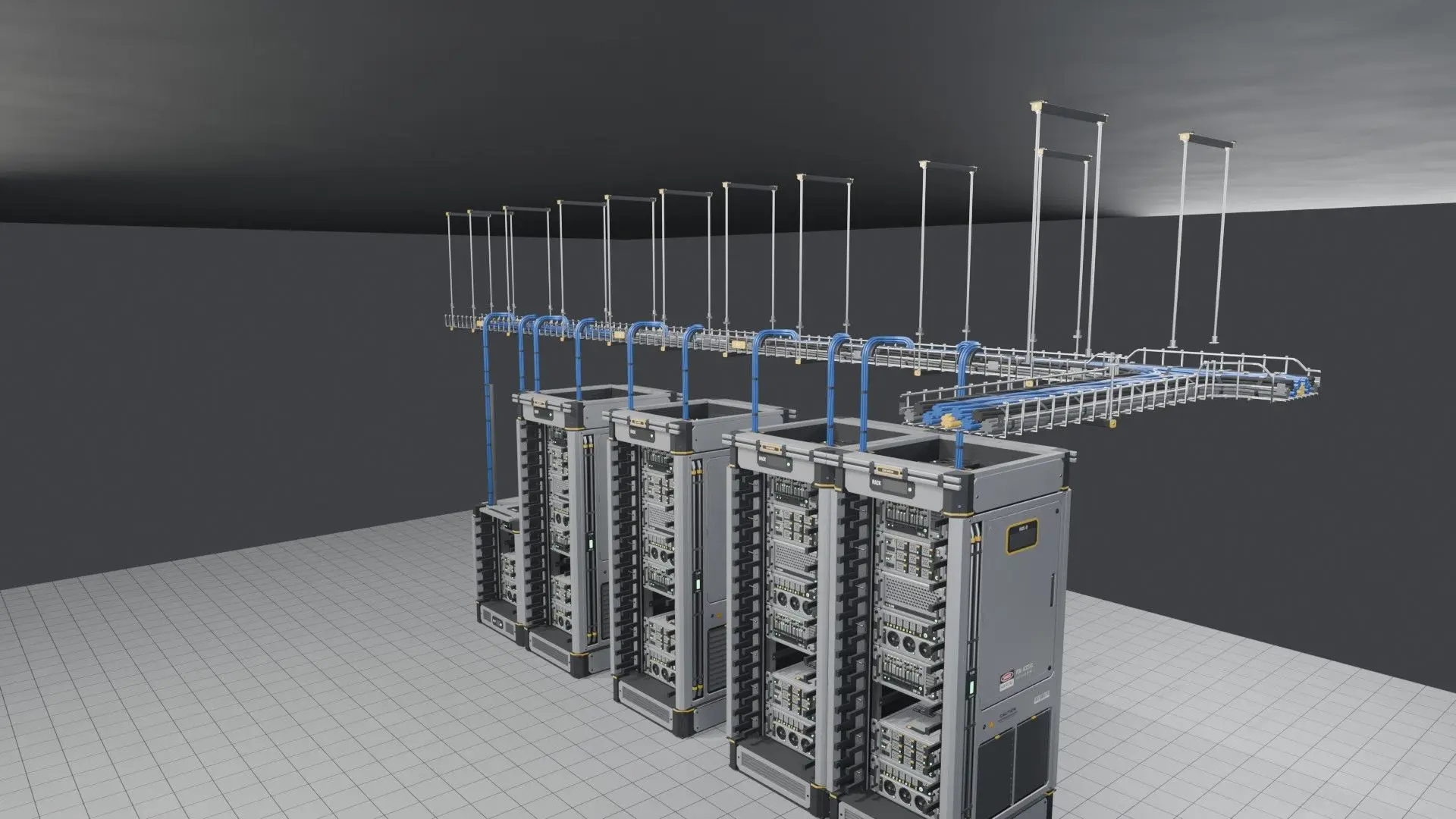
Overhead wire-basket trays in four cable densities. The set has straights, turns, tees, crosses, reducers, and drops that run cables down into the racks. Cable lanes match at every joint. The data cables take the block paint.
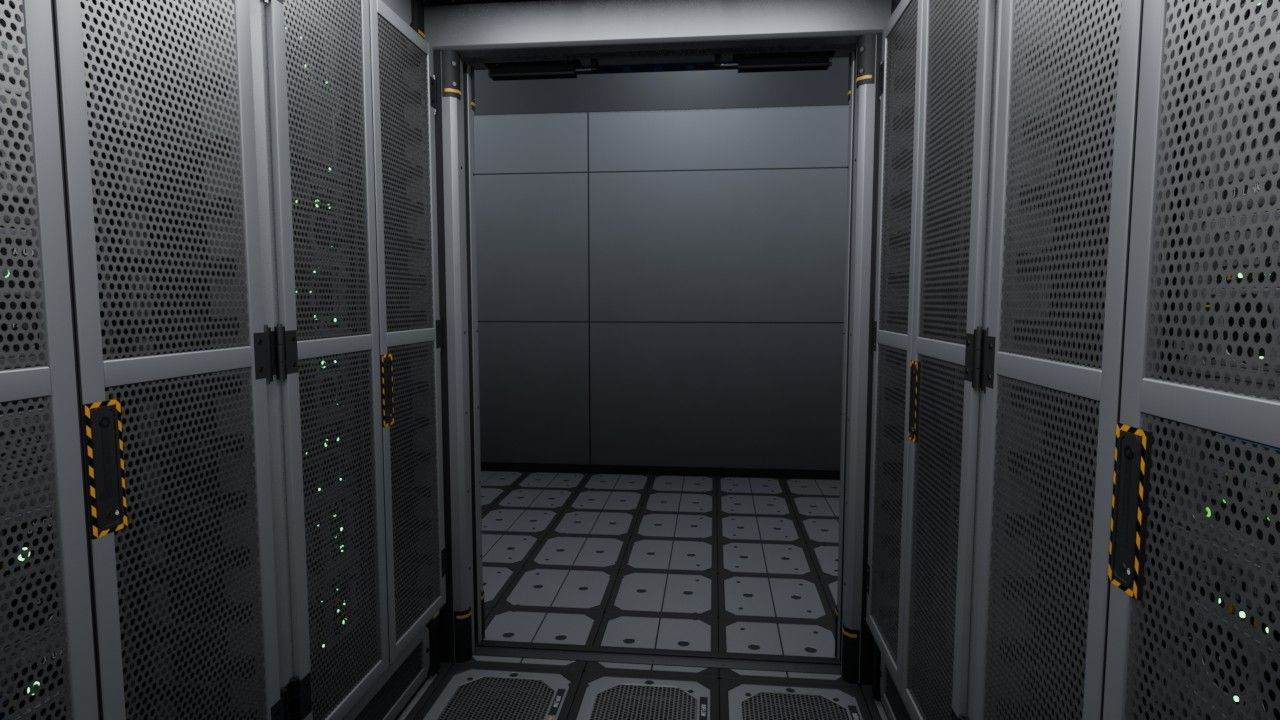
Room pieces
Raised floor tiles, an in-row cooler whose fans spin up when powered, a PDU cabinet, rack power strips, sliding containment doors, roof panels, and aisle signs and rack labels with editable text. With them you can build a contained cold aisle like the ones in real data centers.
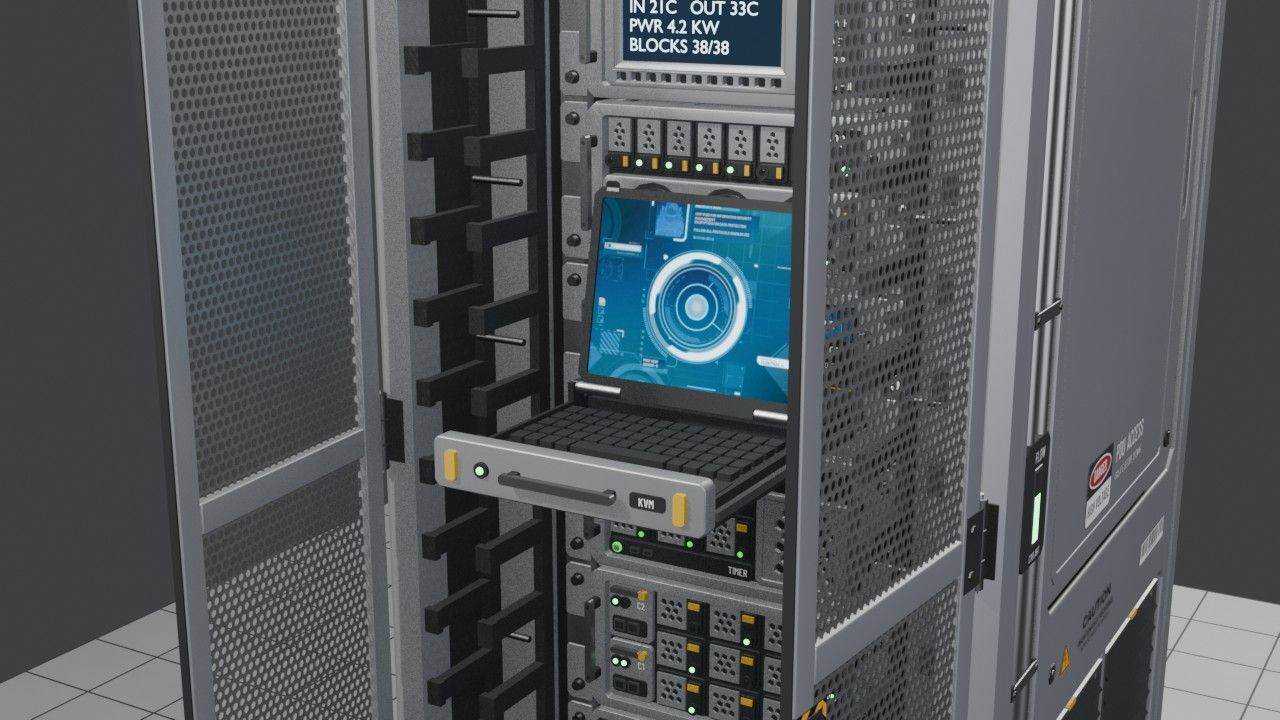
KVM console
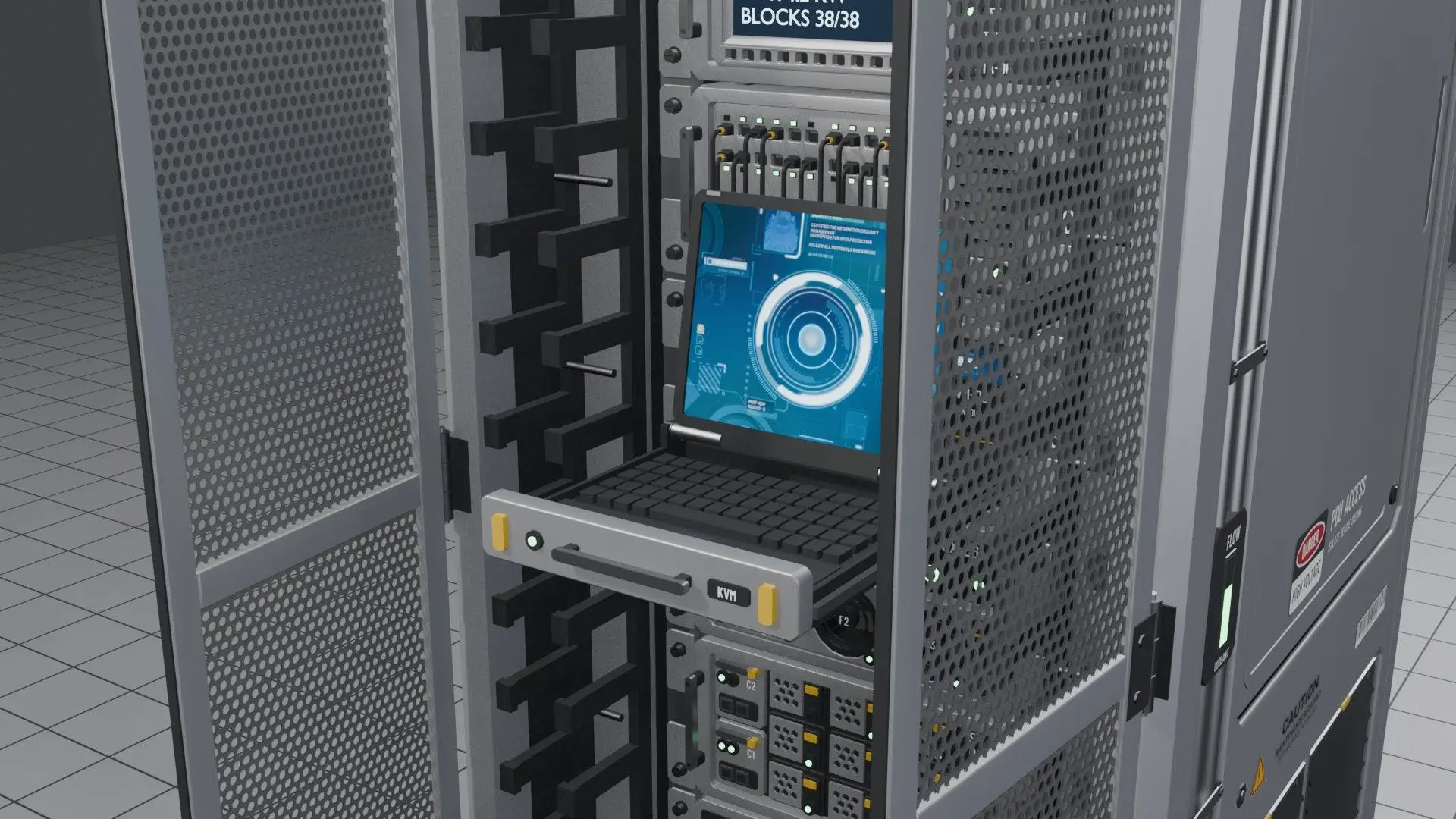
Switch the KVM server on and its keyboard drawer slides out and the screen folds up. With scripts on, the drawer slides first and then the screen lifts with a small spring. It waits for the rack doors to open, and if you switch it mid-motion it reverses from where it is.
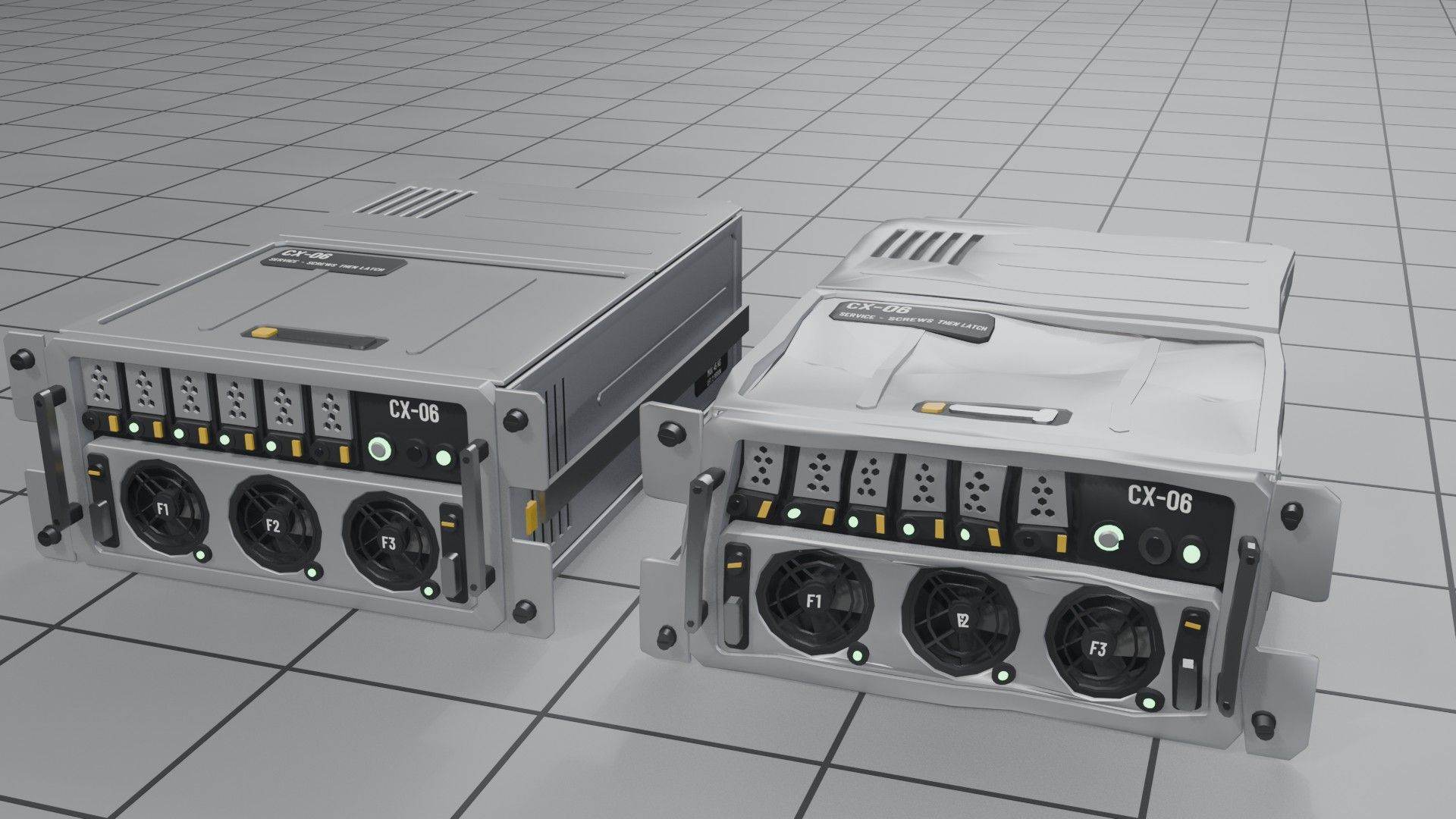
Damage models
Every block has a dented model for when it is damaged and a broken one for when it is destroyed. All of them except the hanger rods and the long drop chute also break apart by zone, following the vanilla fracture rules.
Renders
How it was built-
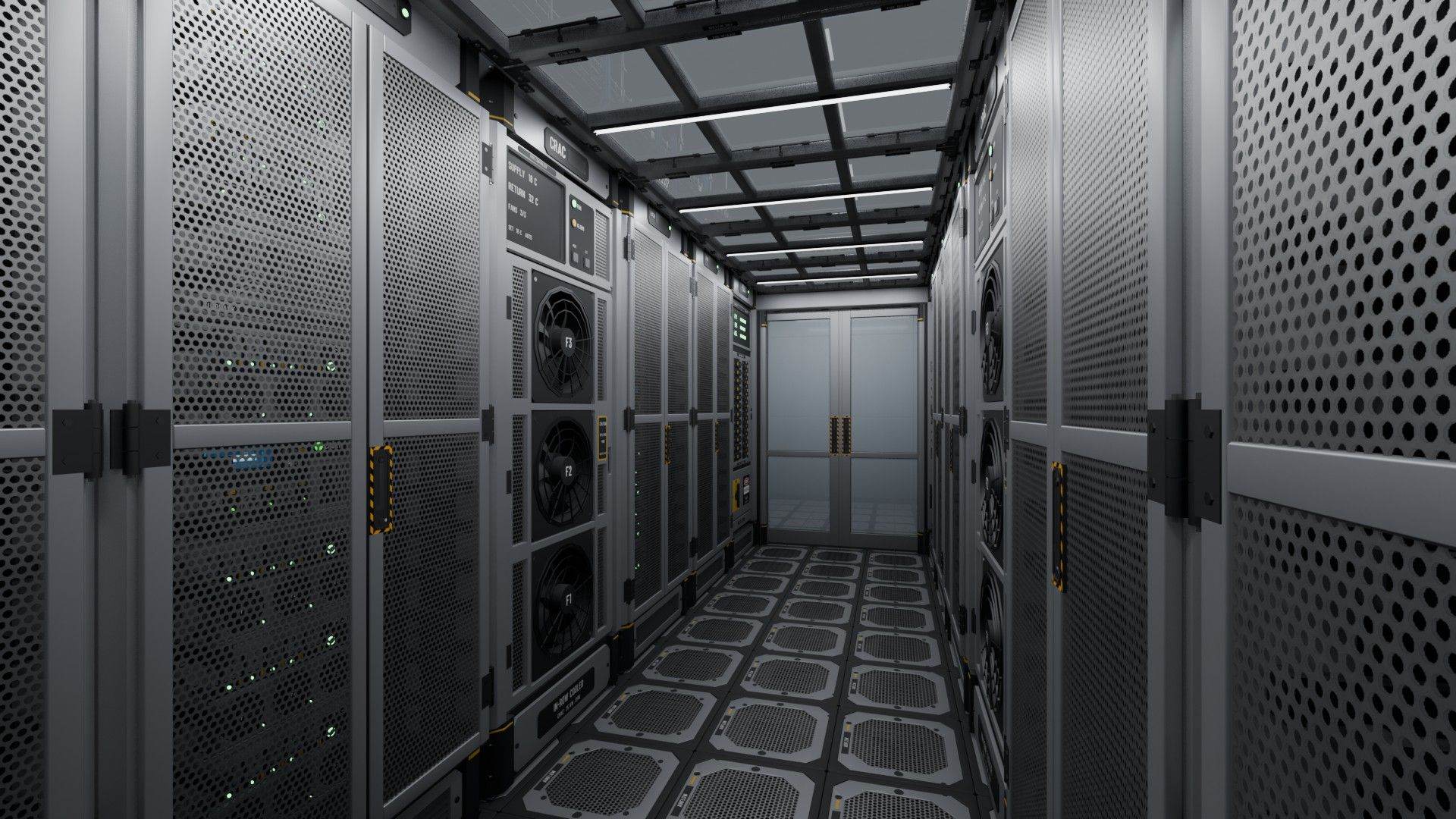
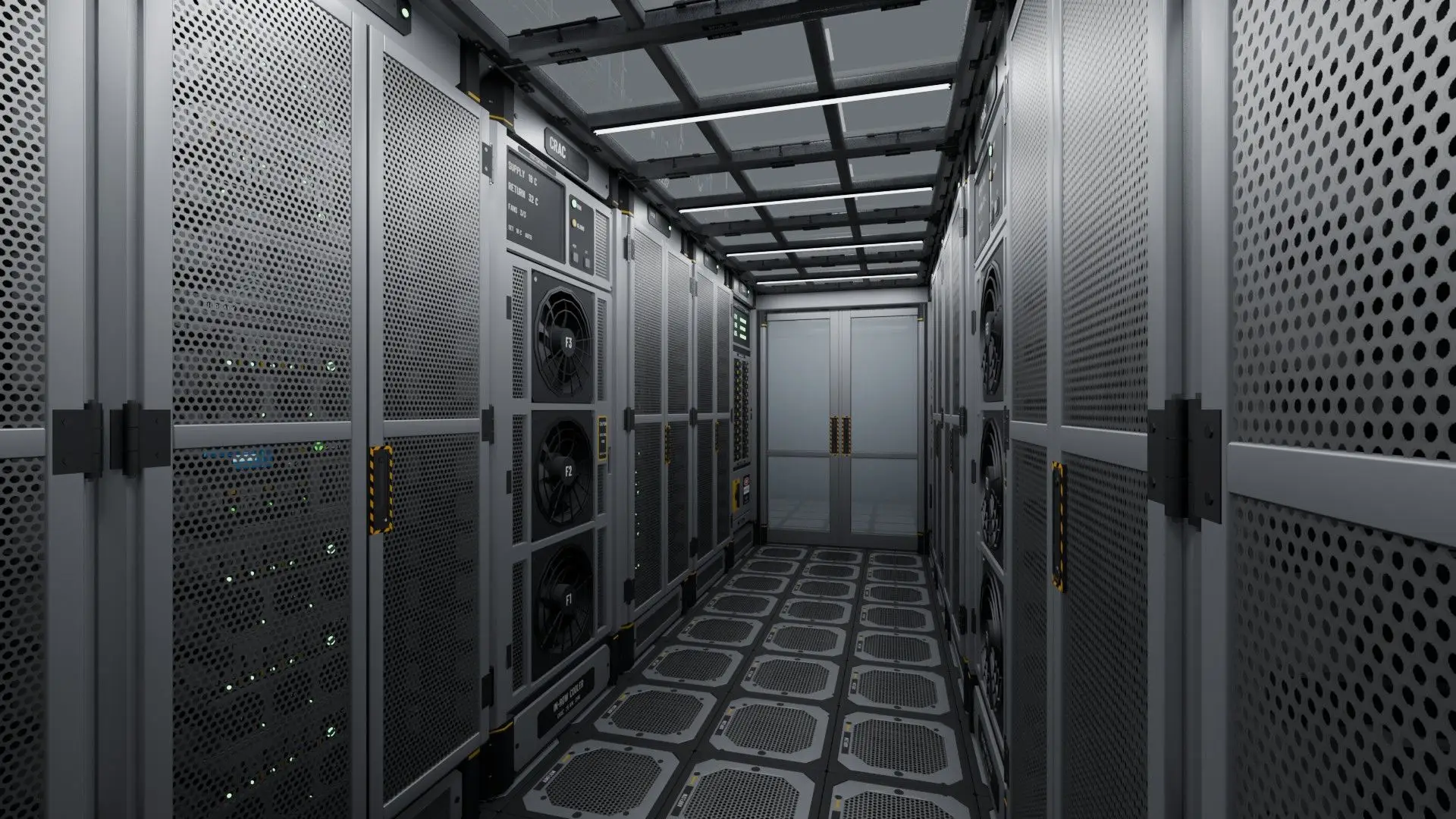
Contained cold aisle
Looking down the contained cold aisle of a two-aisle hall built only from the mod's blocks. The layout follows real data centers: cold air comes in through the floor and the in-row cooler, and hot air leaves through the backs of the racks.
-
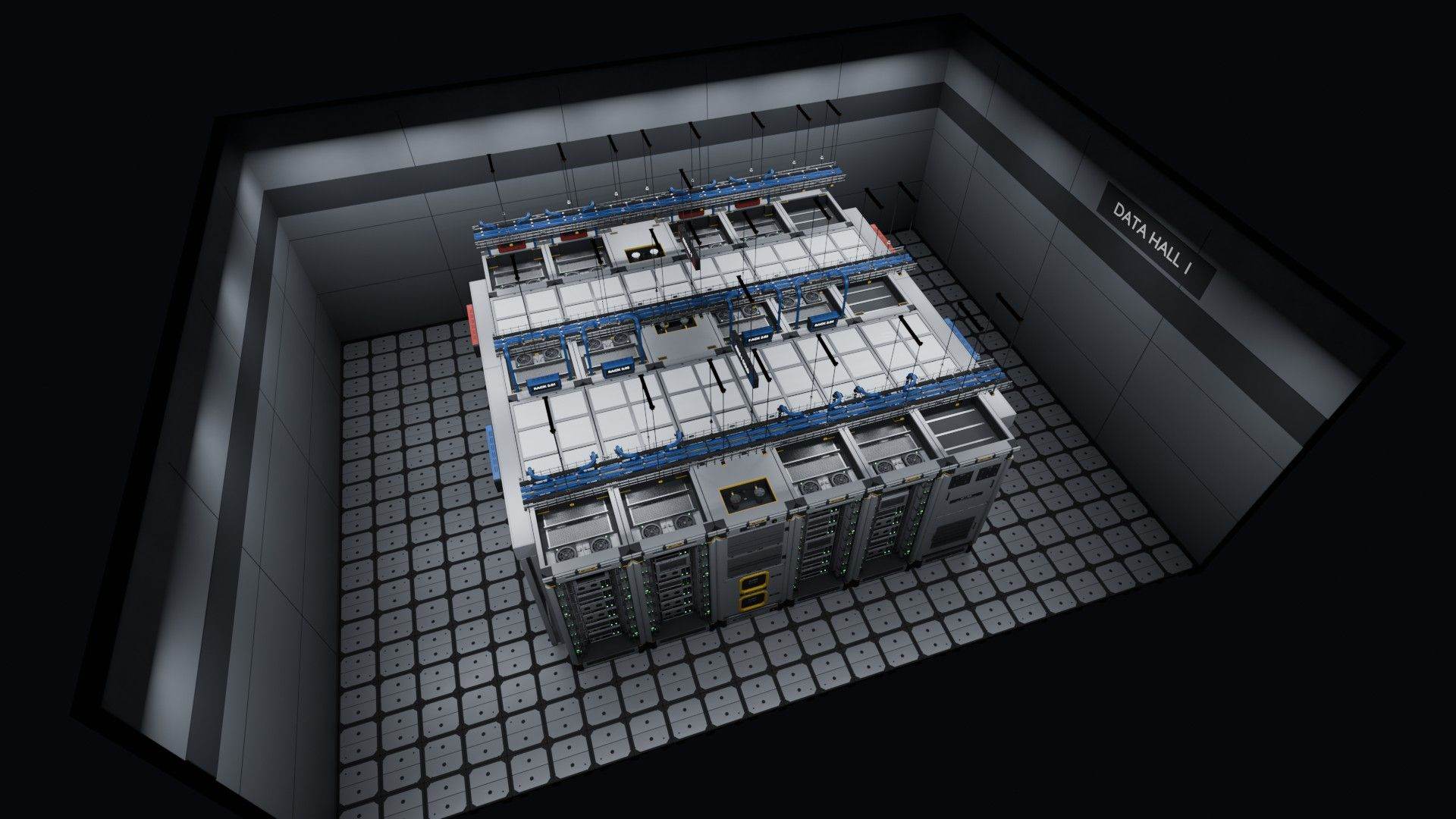
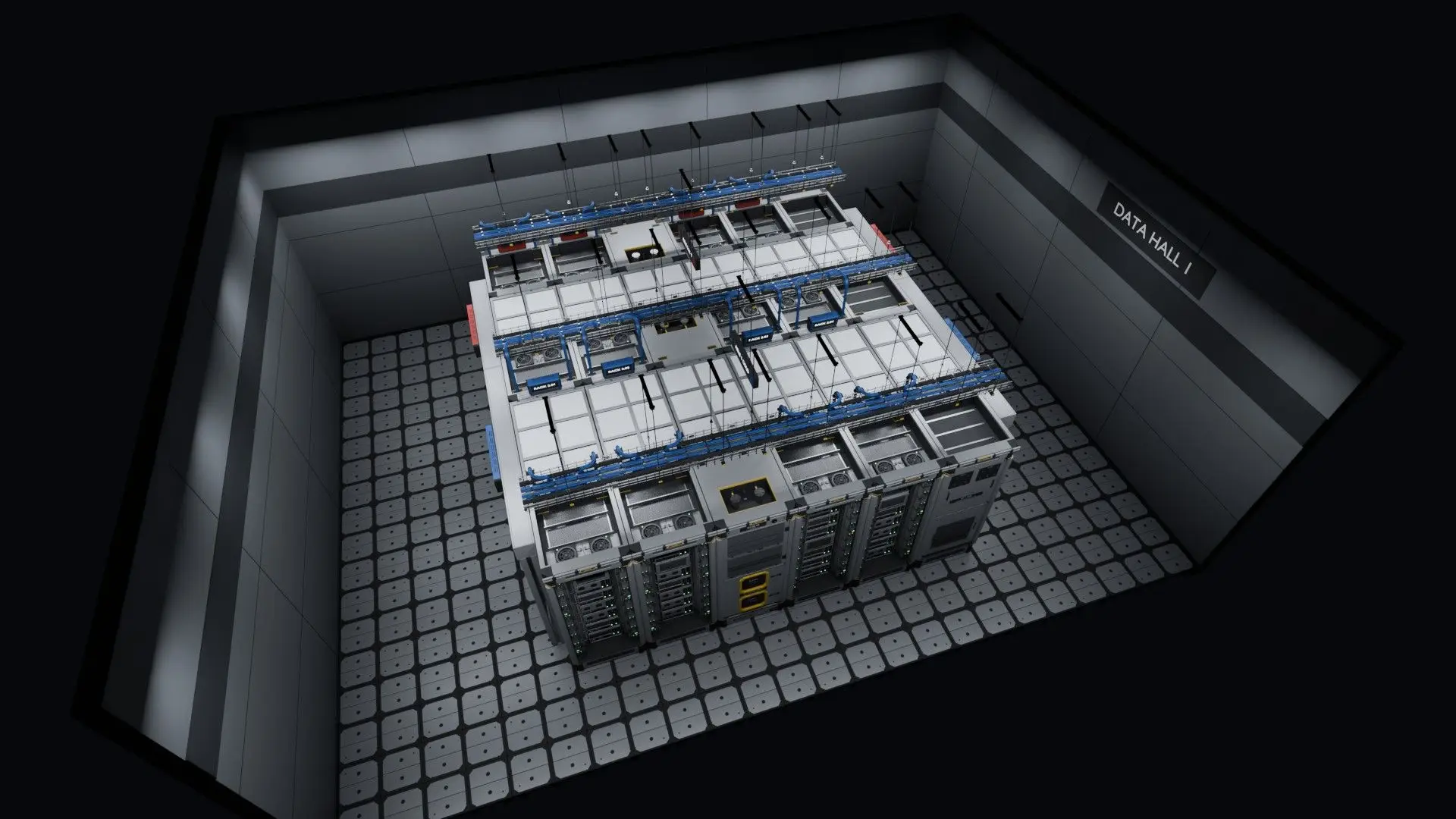
The whole hall from above
Three rows of racks with a cold aisle and a hot aisle, each closed off with roof panels and sliding doors. In-row coolers, power cabinets and overhead cable trays fill out the room.
-
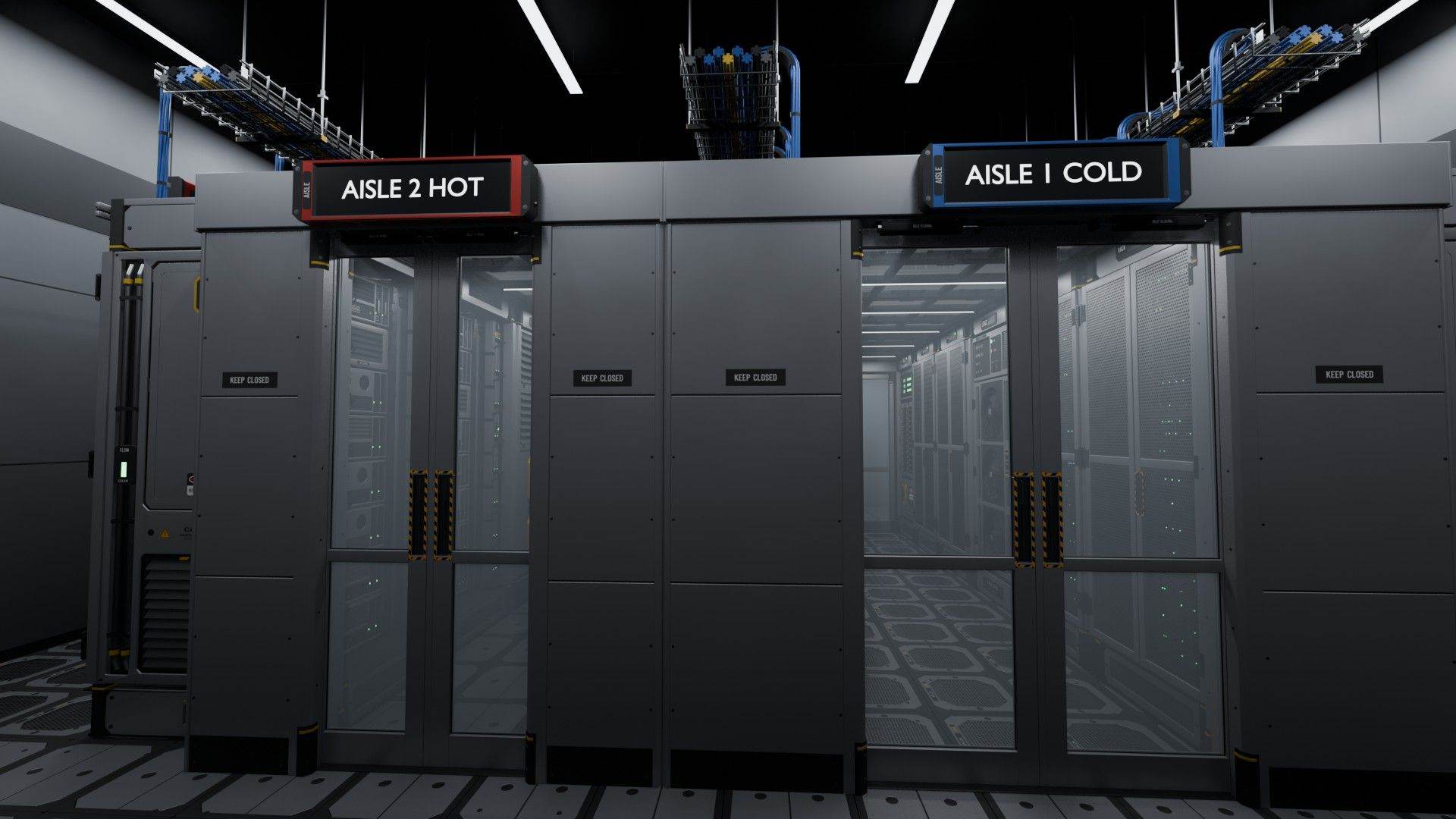
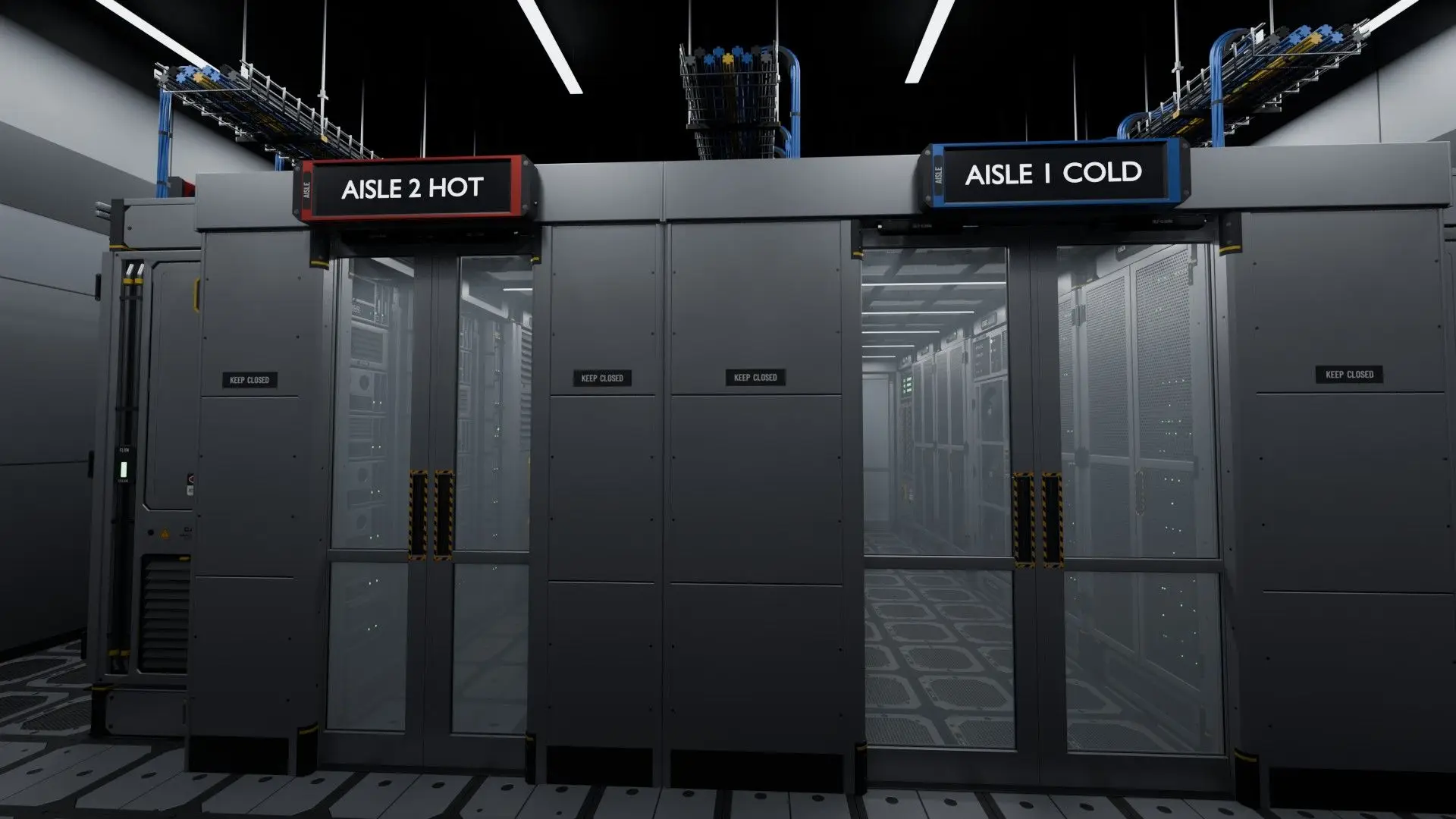
Containment doors
The sliding doors at the end of each aisle, with blue (cold) and red (hot) aisle signs above them. The doors open and close in game.
-
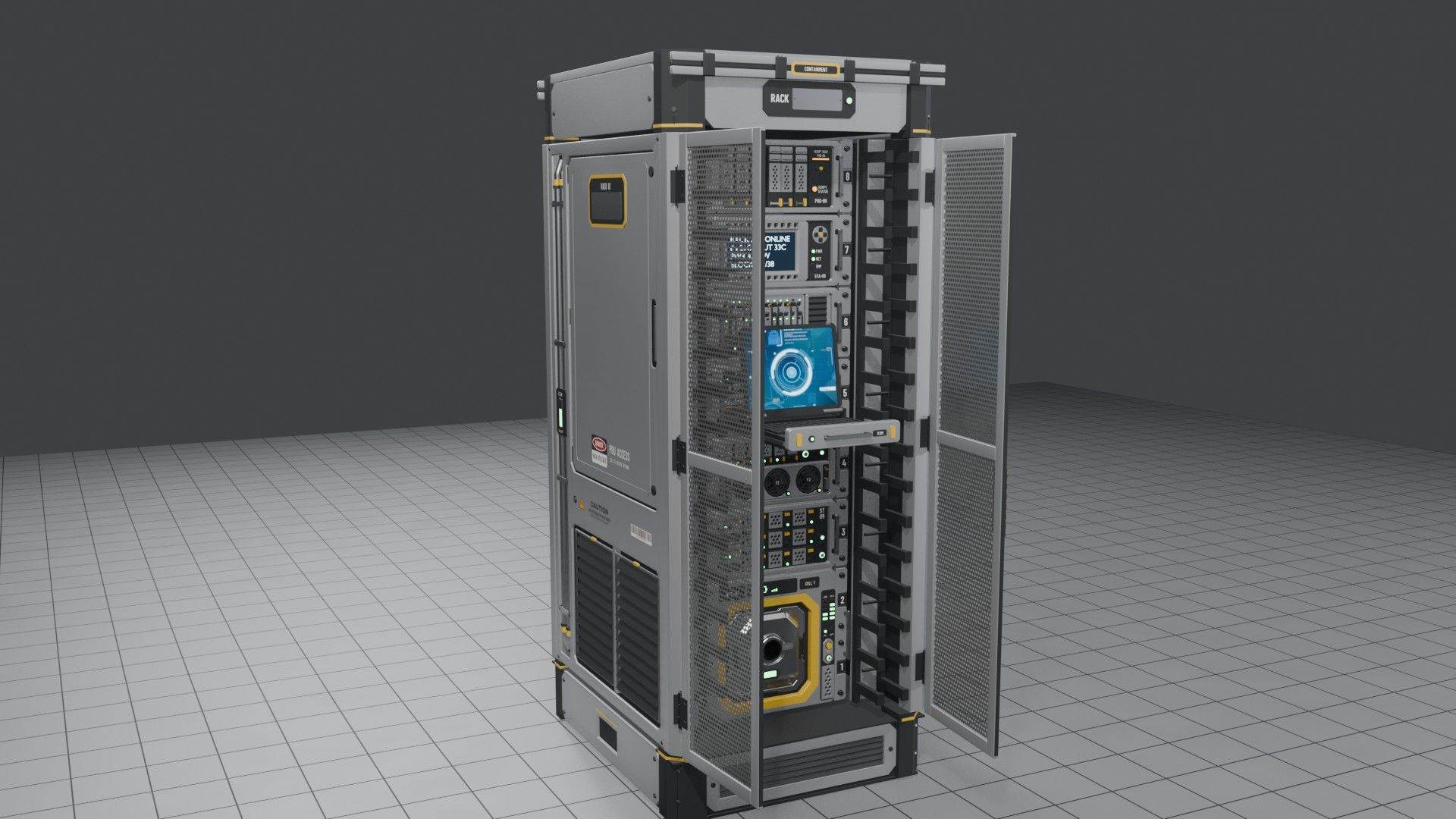
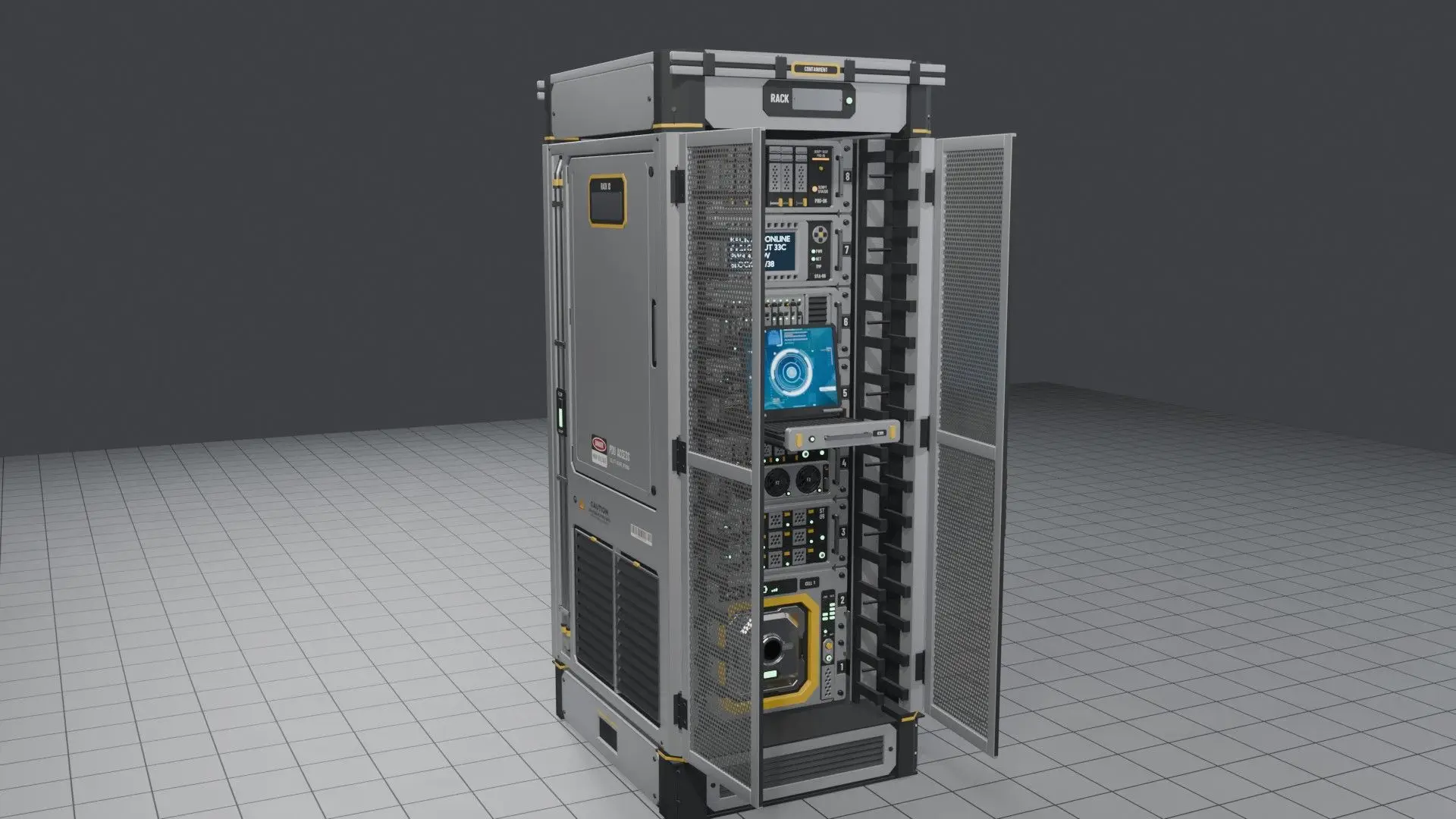
42U rack, front
A full-height 42U rack with its split front doors swung open, loaded with a mix of servers: storage, compute, a network switch, a UPS battery unit, a status display, a programmable server and a pull-out KVM console.
-
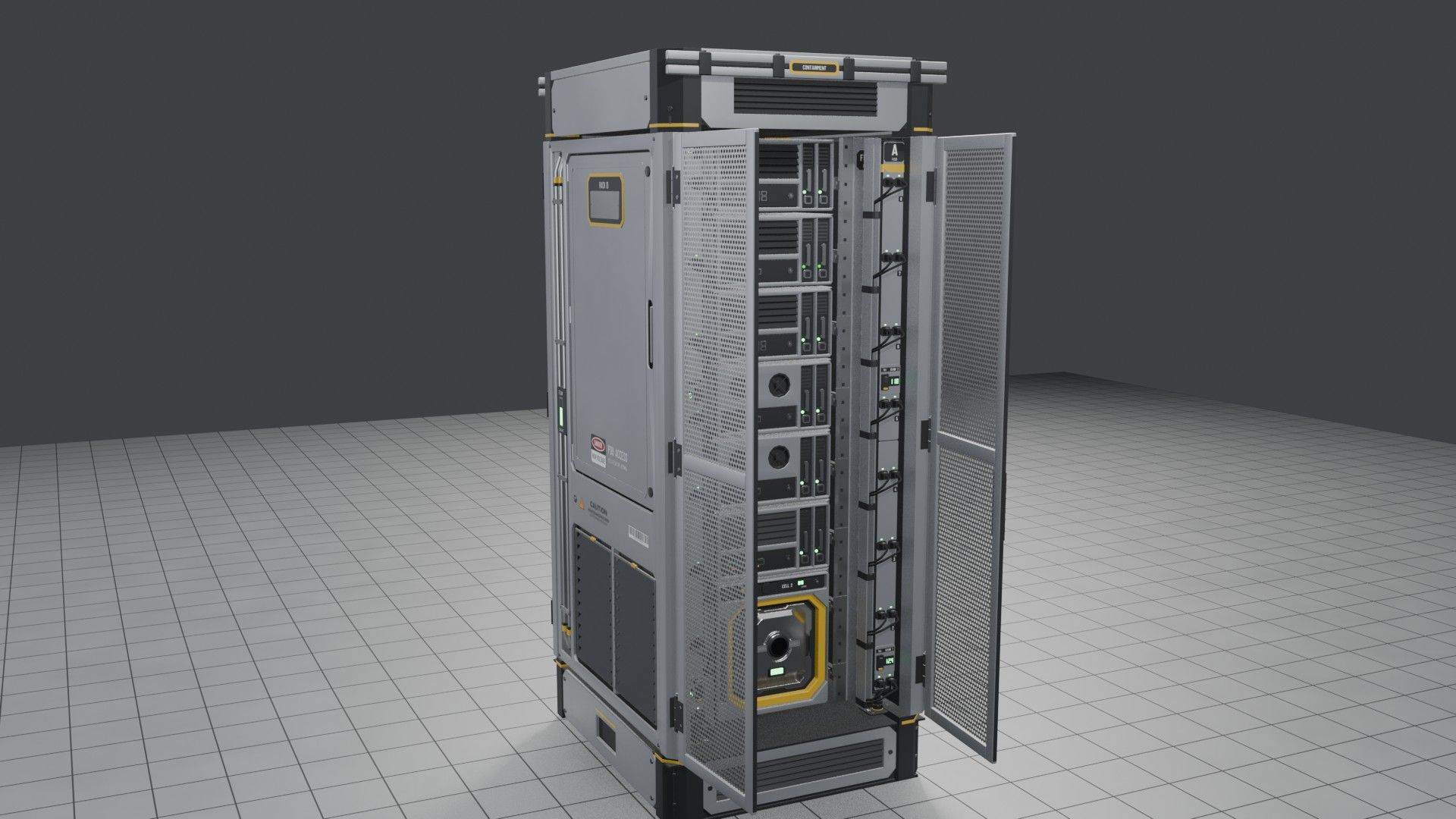
42U rack, rear
The same rack from the back with the rear doors open: two vertical power strips (feed A and feed B, for redundant power) and the servers' rear panels.
-
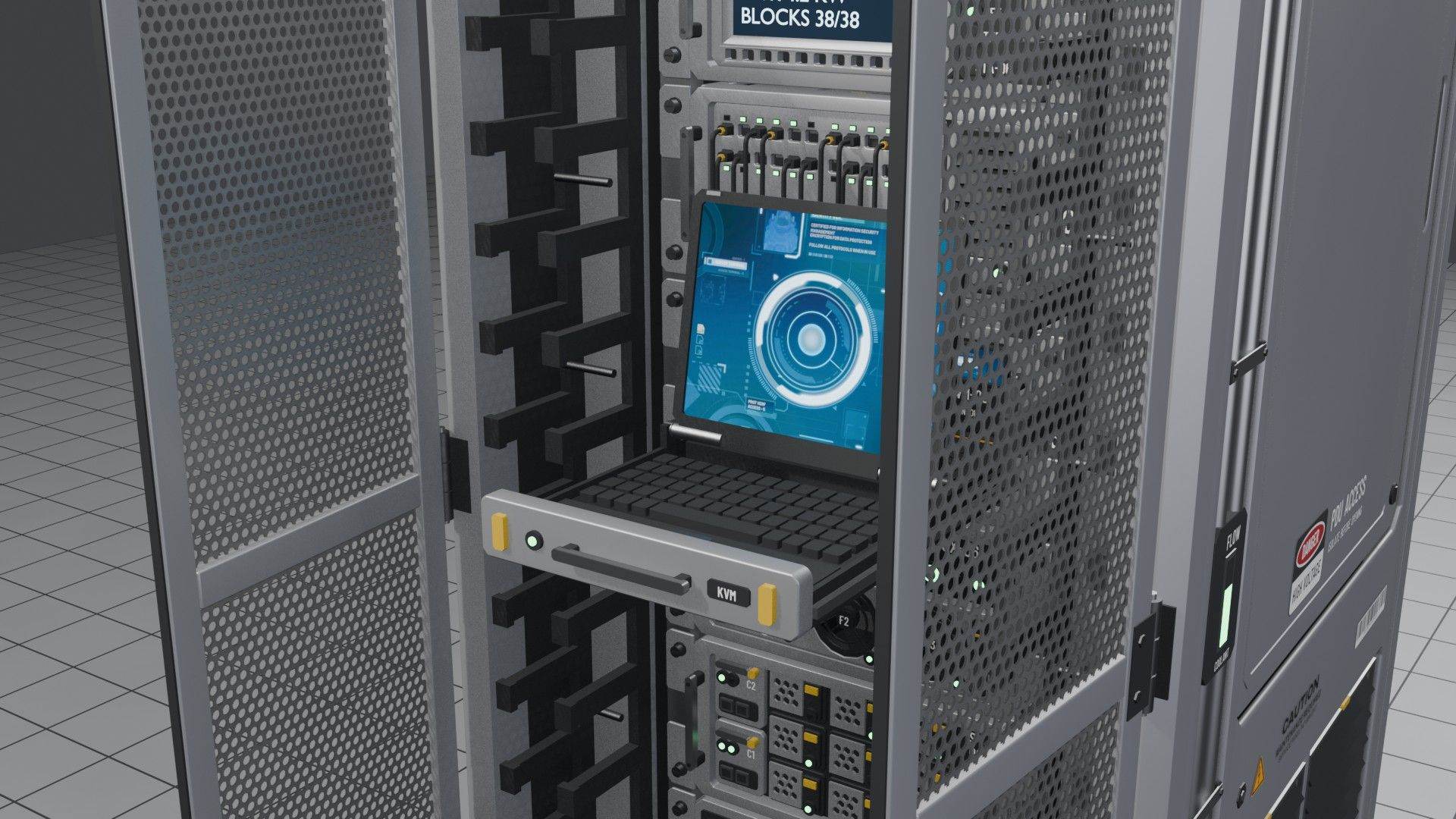
KVM console
The KVM drawer pulled out with its screen folded up. With scripts on, the drawer slides out first and then the screen lifts.
-
Every server type
All ten server blocks side by side. The front row holds compute, storage, switch and blank panel, which fill the rack, plus the UPS, which works as a battery. The back row holds the other working blocks: timer, event controller, status display, programmable and KVM.
-
Overhead cable trays
Cable trays hung from ceiling rods over a row of racks: a tee branching off, reducers stepping the bundle down, and drops that run cables down into each rack.
Build a hall in this order
- Lay the raised floor first. Racks, the cooler, the PDU cabinet and the doors all stand on the tiles. Put perforated tiles where the cold air comes up.
- Set out the rows. Racks, the in-row cooler and the PDU cabinet share one footprint (1.0 m wide, 1.25 m deep, 2.5 m tall), so a row stays on a 1.0 m pitch.
- Pick the aisle widths: 1.0, 1.5 or 2.0 m. Doors and roof panels come in each width.
- Close the aisles with the sliding containment doors at the row ends and roof panels along the top.
- Hang the cable trays on hanger rods 0.5 m above the rack tops and drop cables into each rack.
- Sign it. Aisle signs and rack labels are LCDs: type your own text, and paint the frame blue (cold) or red (hot).
Changelog
Releases RSS-
- First Workshop release: 73 blocks of server racks, rack servers, cable trays and room pieces.
- Six rack servers are working automation blocks: Timer, Event Controller, KVM Console, Status Display, UPS and Programmable.
- Every block builds and breaks like the game's own, with damaged models and broken interiors.
- Scripts are optional and add smoother KVM motion and a working Programmable server.
Data Center dev log
All Data Center posts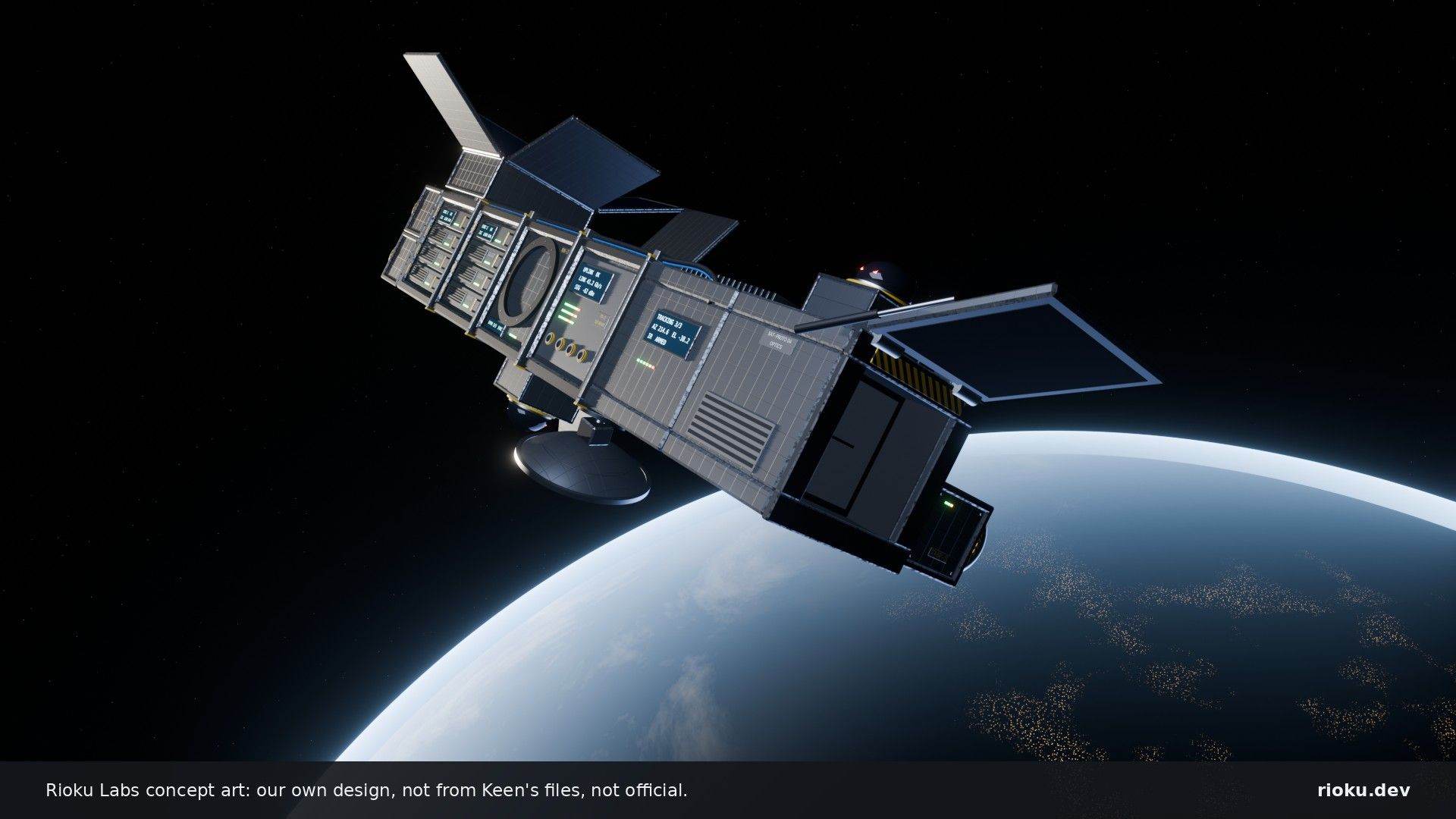
What's Hiding in Hostile Encounters
Unfinished things from the game files. Open it to see the warning first.
spoiler data-centerlimpet-swarm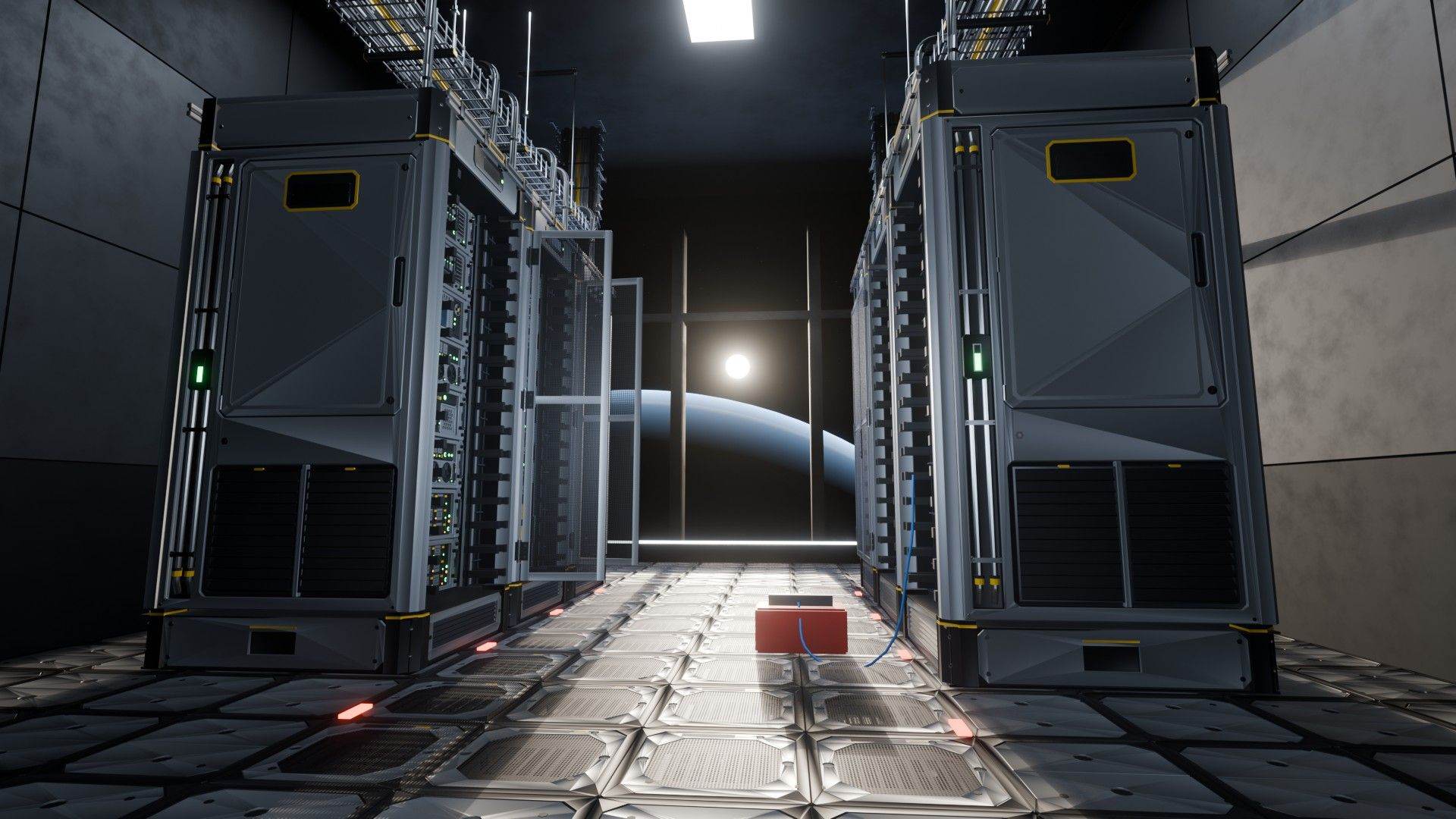
Release: Data Center v0.9.0
Data Center 0.9 is on the Steam Workshop: 73 blocks of server racks, rack servers, cable trays and the room around them, free and open source.
data-center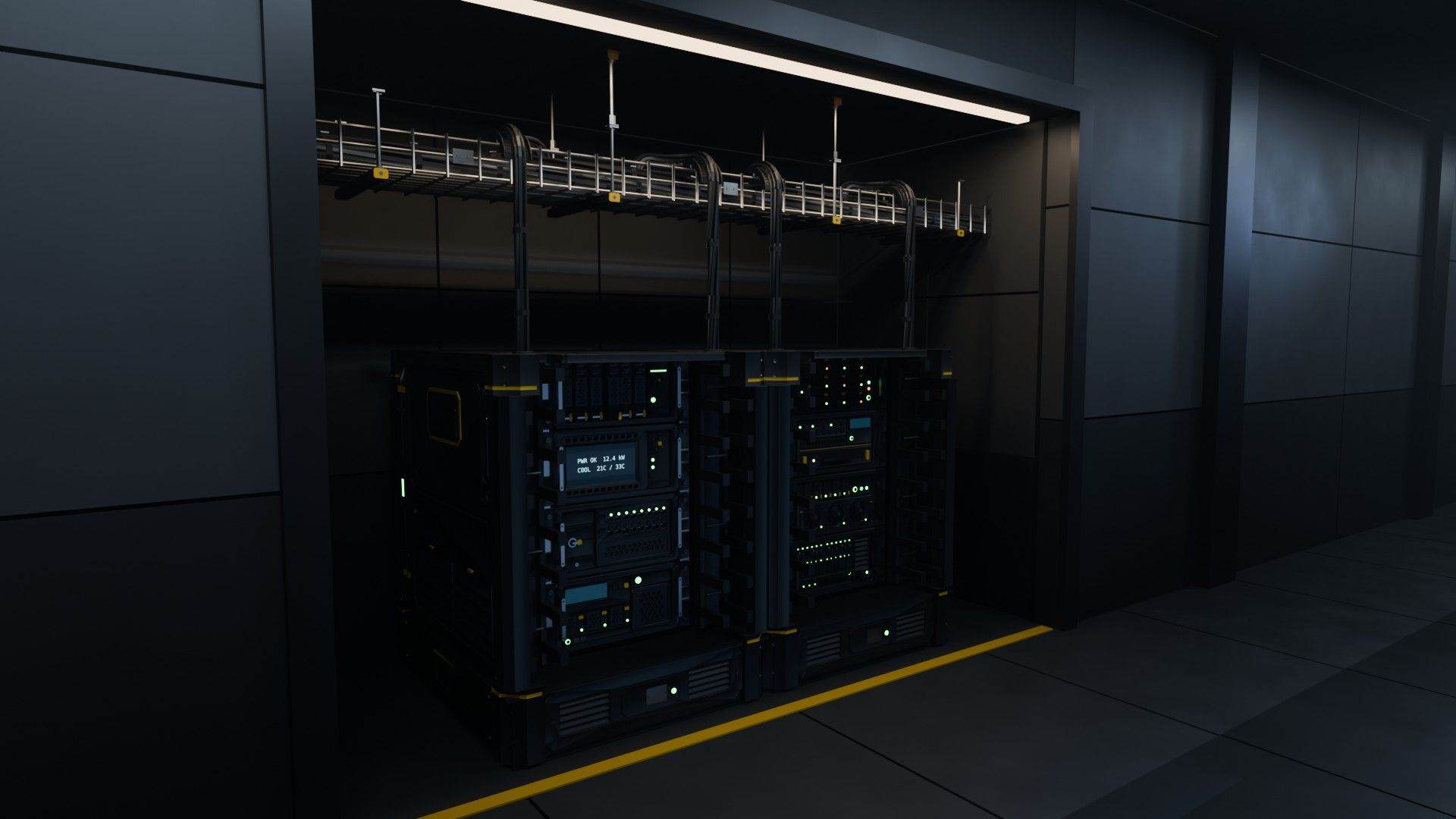
What do you actually do with a server rack in Space Engineers 2?
Data Center's servers run your ship just like the game's own automation blocks. They're also built for role play, and Space Engineers 2 lets us take that a lot further than the first game ever could.
data-center