
Release: Data Center v0.9.0
Our first mod is live. Here's what's in it.
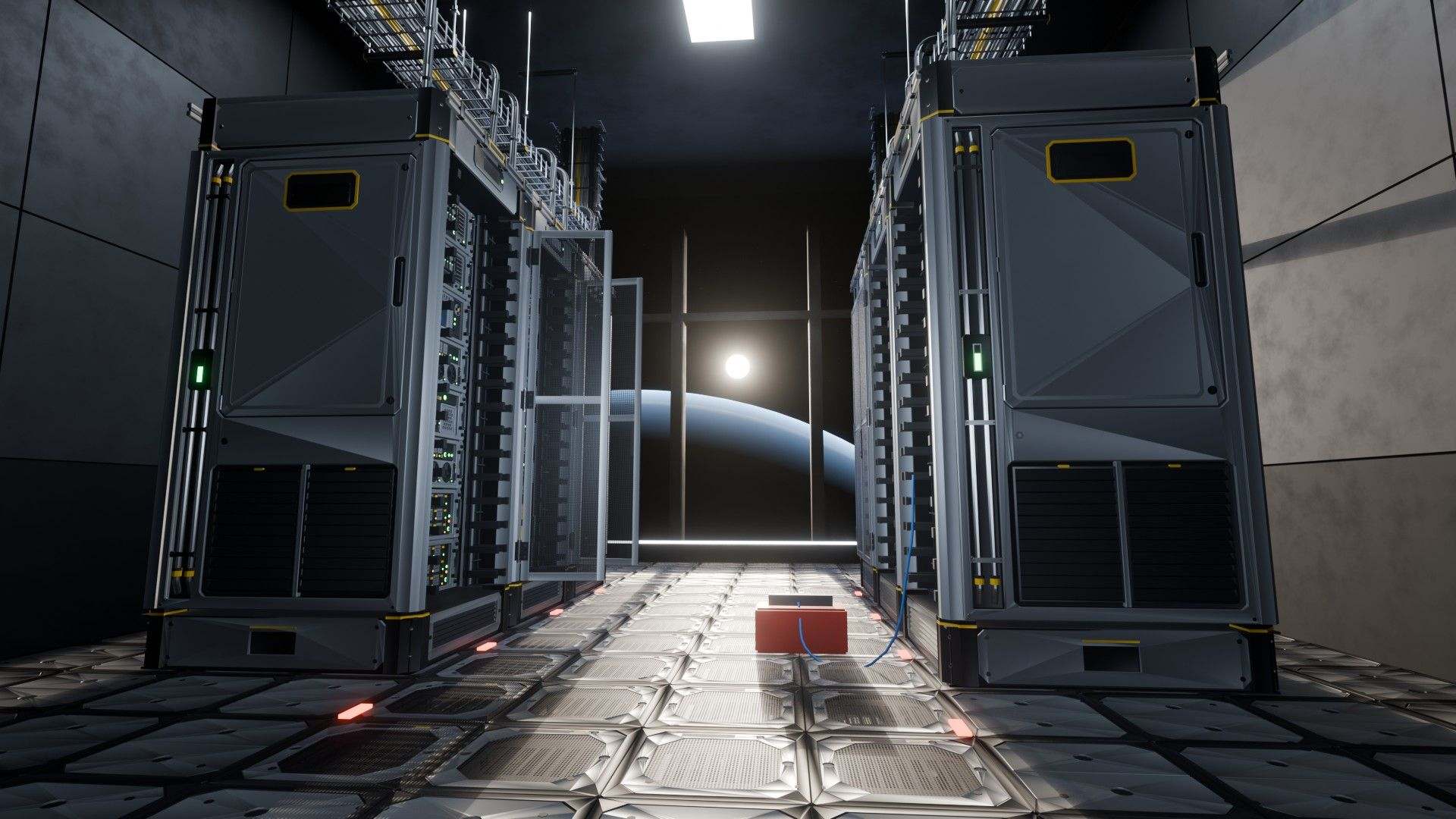
Data Center is on the Steam Workshop. It's our first mod, it's version 0.9, and you can subscribe to it right now.
If you missed the last post, that's the one about why anyone would want a server room on their ship. This one's about what's actually in the box.
At a glance
- 73 blocks: server racks, rack servers, overhead cable trays and the room around them.
- Six of the servers are the game's own automation blocks in rack form, so your timers, event controllers, LCDs, batteries and control panels can live in a rack.
- No other mods needed. Scripts are optional.
- Free and open source under the GPL.
Known issues
It's a 0.9 for a reason. These are the ones we know about:
- Front + Rear Doors racks open both sets of doors together.
- Rack doors don't block you when they're closed. The aisle containment doors do.
- Two contained 1.5 m aisles can't share a row; make one of them 1.0 m.
- On a 24U rack, the rack label only fits on the back.
- Rack PDU strips will stand on any upward face. To seat one in a rack, aim at the plinth top in the rear corner.
If you hit something else, open an issue on GitHub with the log lines that mention [DataCenter].
Racks and servers
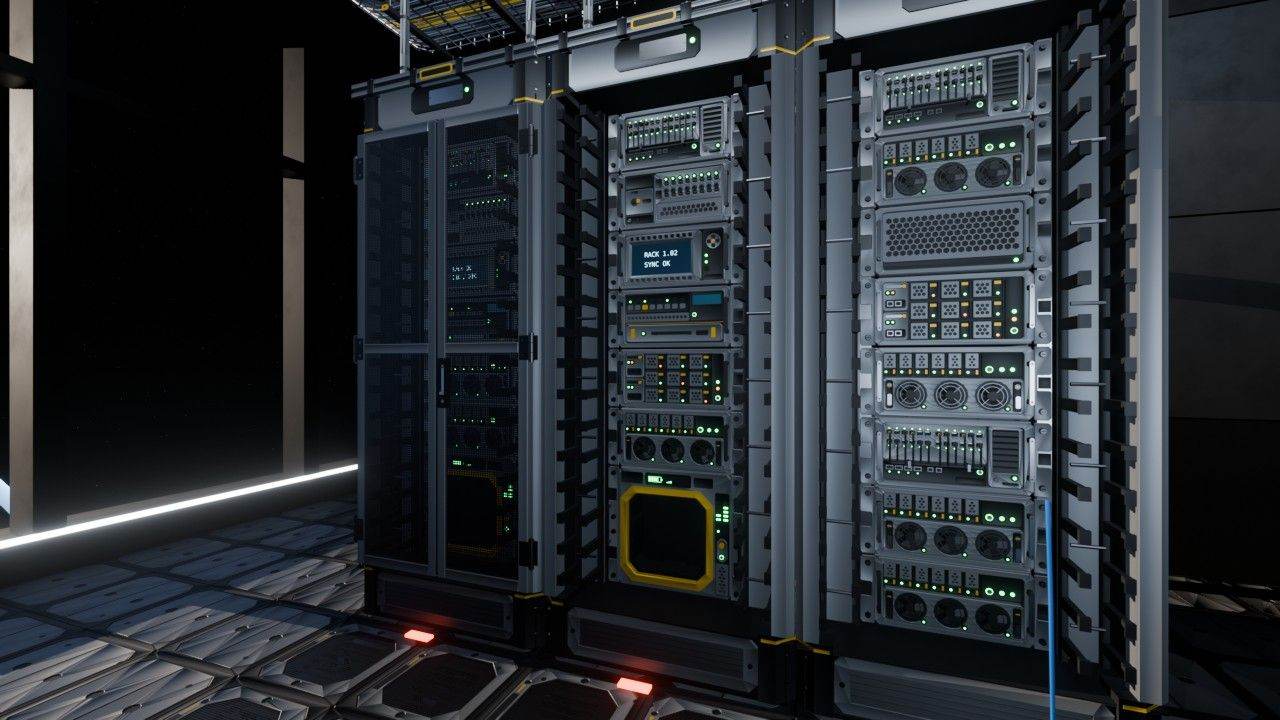
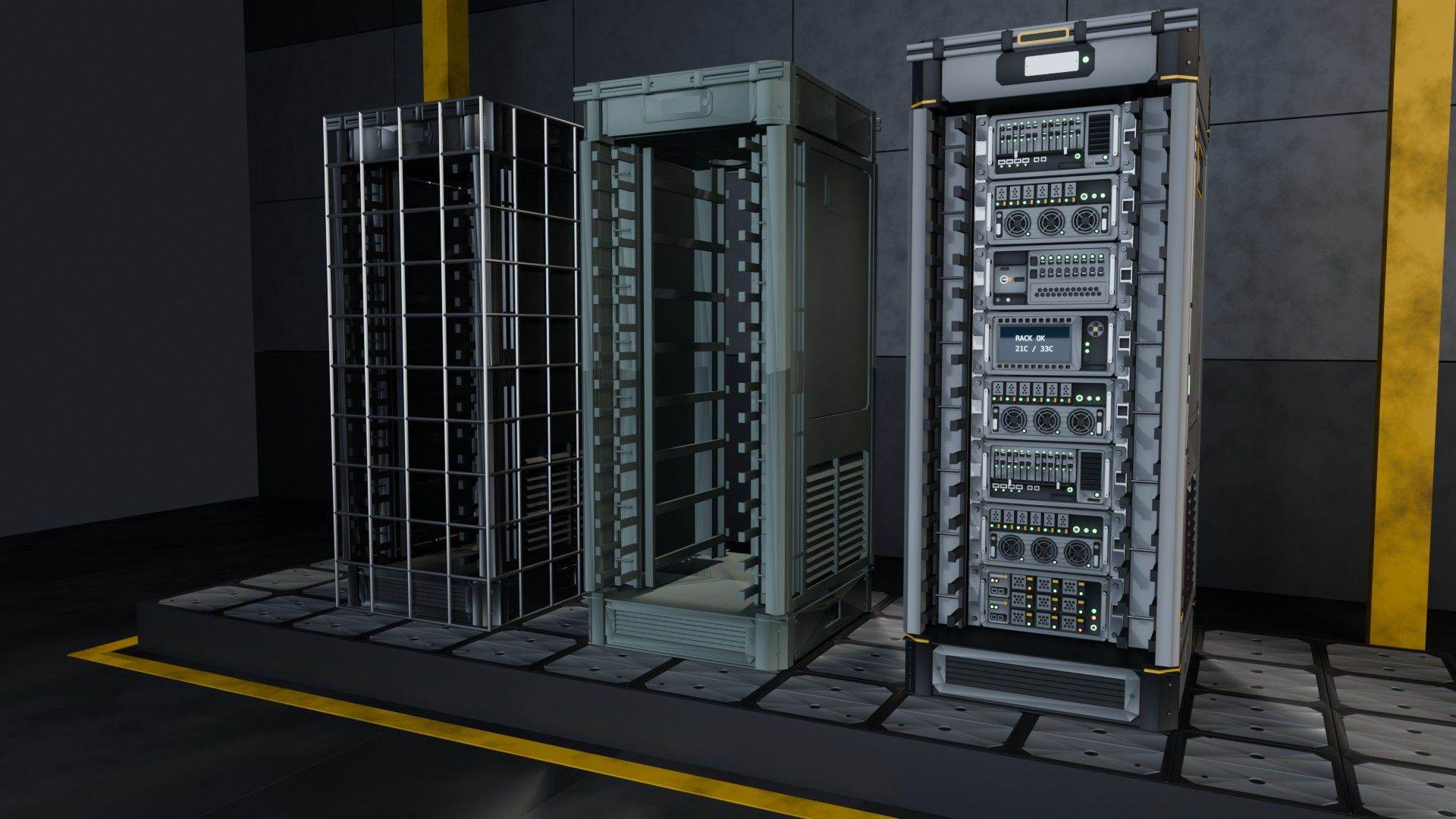
There are six racks: 24U and 42U, each as an open frame, with split front doors, or with doors front and back. Place a rack, aim at the back of an empty slot and the server seats itself in it. A 42U takes eight servers, a 24U takes four, and the UPS takes two slots on its own.
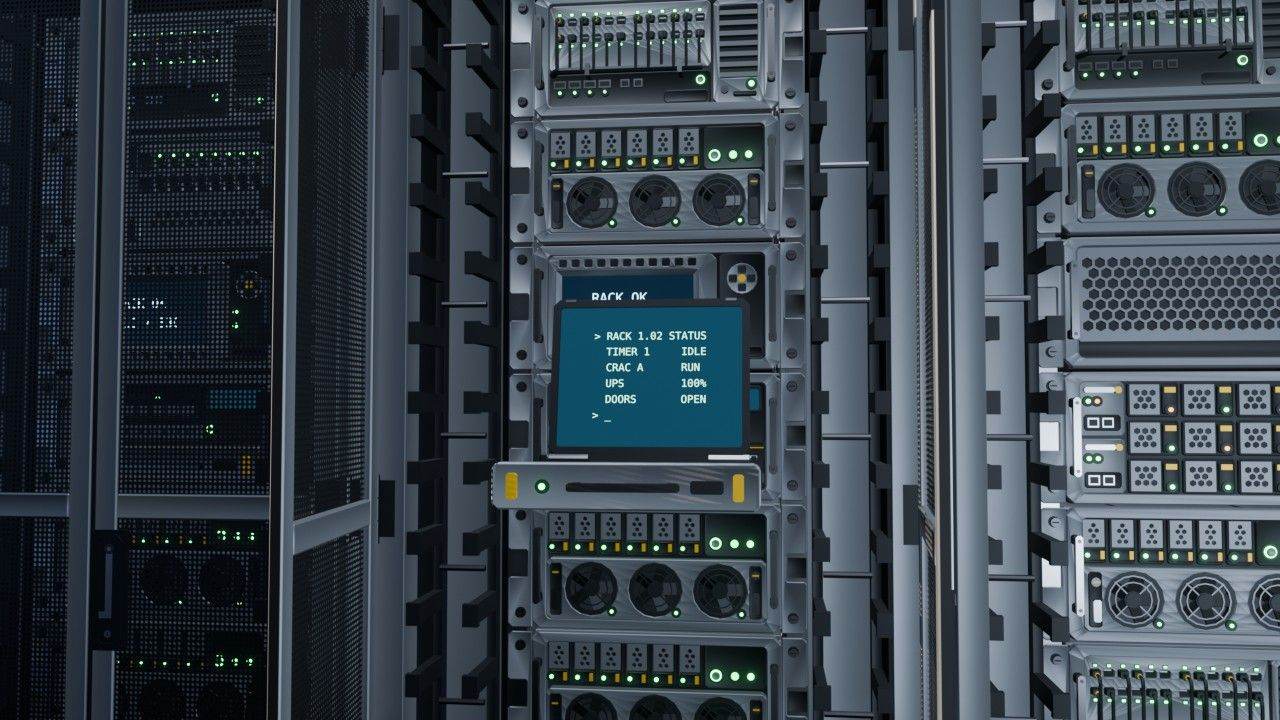
The Timer, Event Controller, Status Display, UPS and KVM Console work exactly like the vanilla blocks they're built on, same terminal and all. Compute, Storage, Network Switch and the Blanking Panel don't do anything, but a half-empty rack looks sad, and nobody wants that.
Cable trays
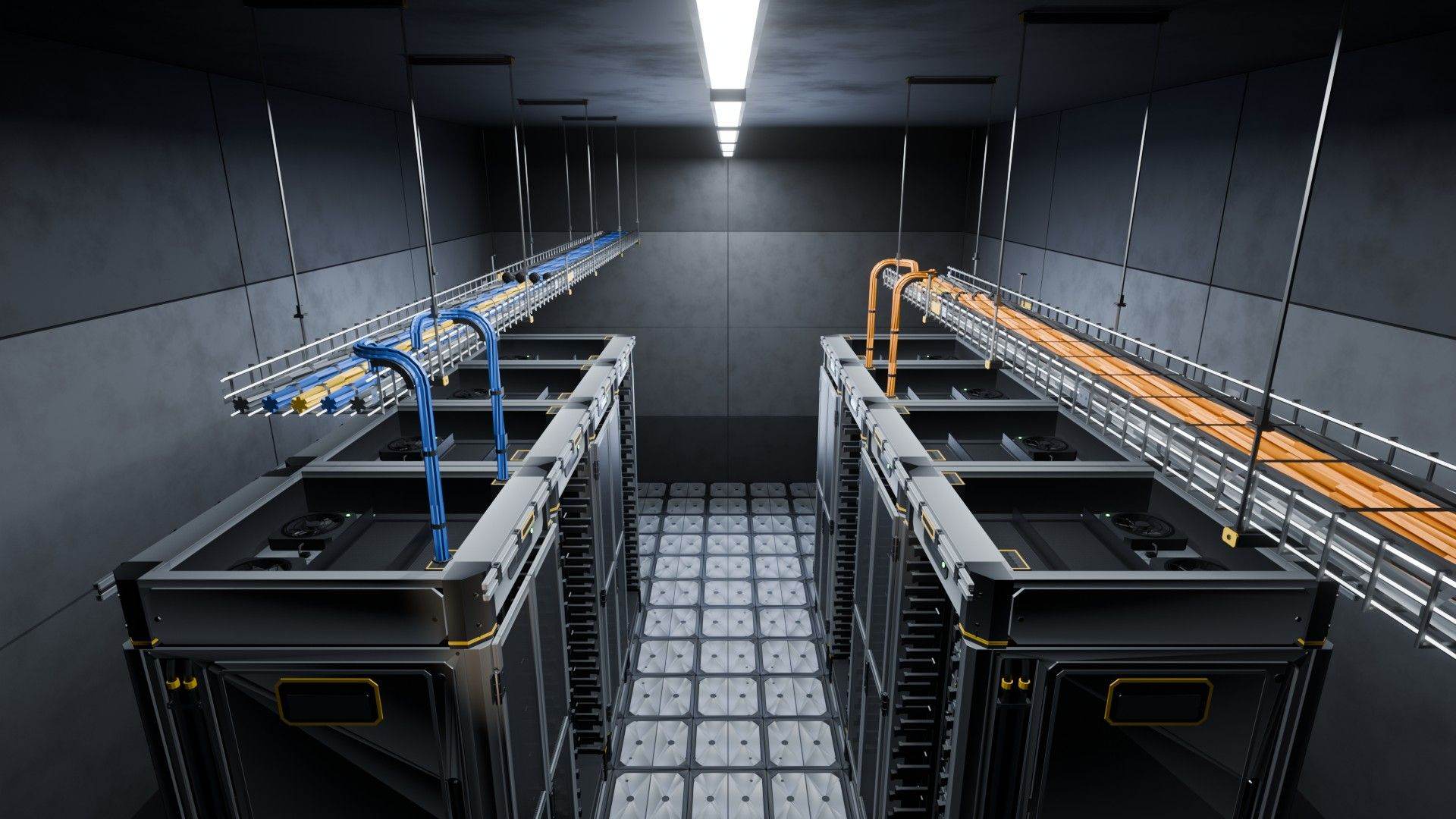
38 tray pieces in four cable densities, from an empty basket to completely stuffed. Reducers step a run down one density at a time, and a Drop hangs over a rack and pours its cables in from above. The basket stays silver and the cables take whatever paint you use, so color-coding your runs is on you. Finally, cable management without a bag of zip ties.
The room around it
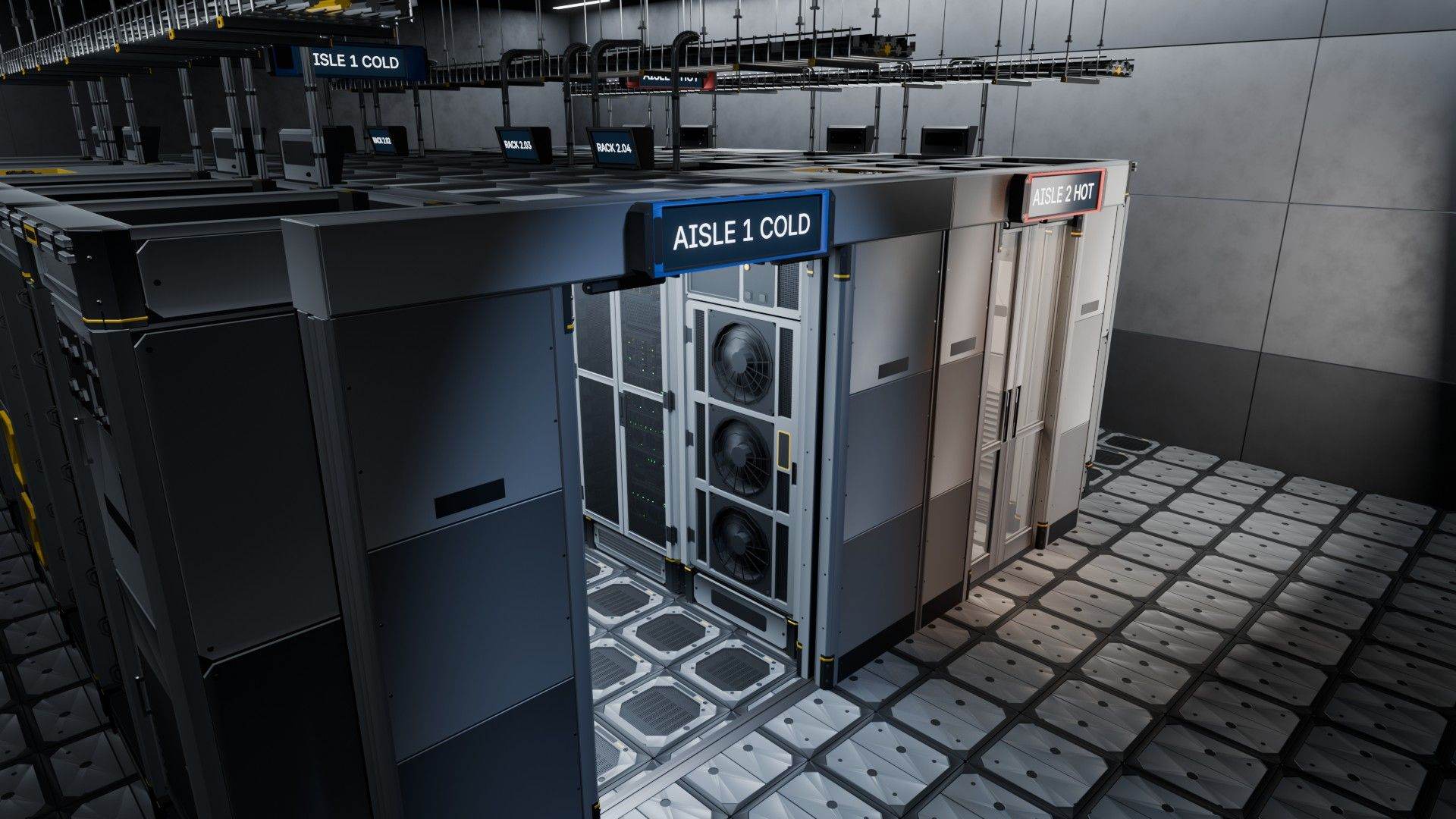
Raised floor tiles to stand everything on, an in-row cooler whose fans spin up when it has power (it cools absolutely nothing, but it's very convincing), a PDU cabinet, power strips for the backs of the racks, and sliding containment doors and roof panels for 1.0, 1.5 and 2.0 m aisles. The signs and rack labels are LCDs, so type whatever you like on them and paint the frames red for hot aisles and blue for cold ones.
Building it, and breaking it
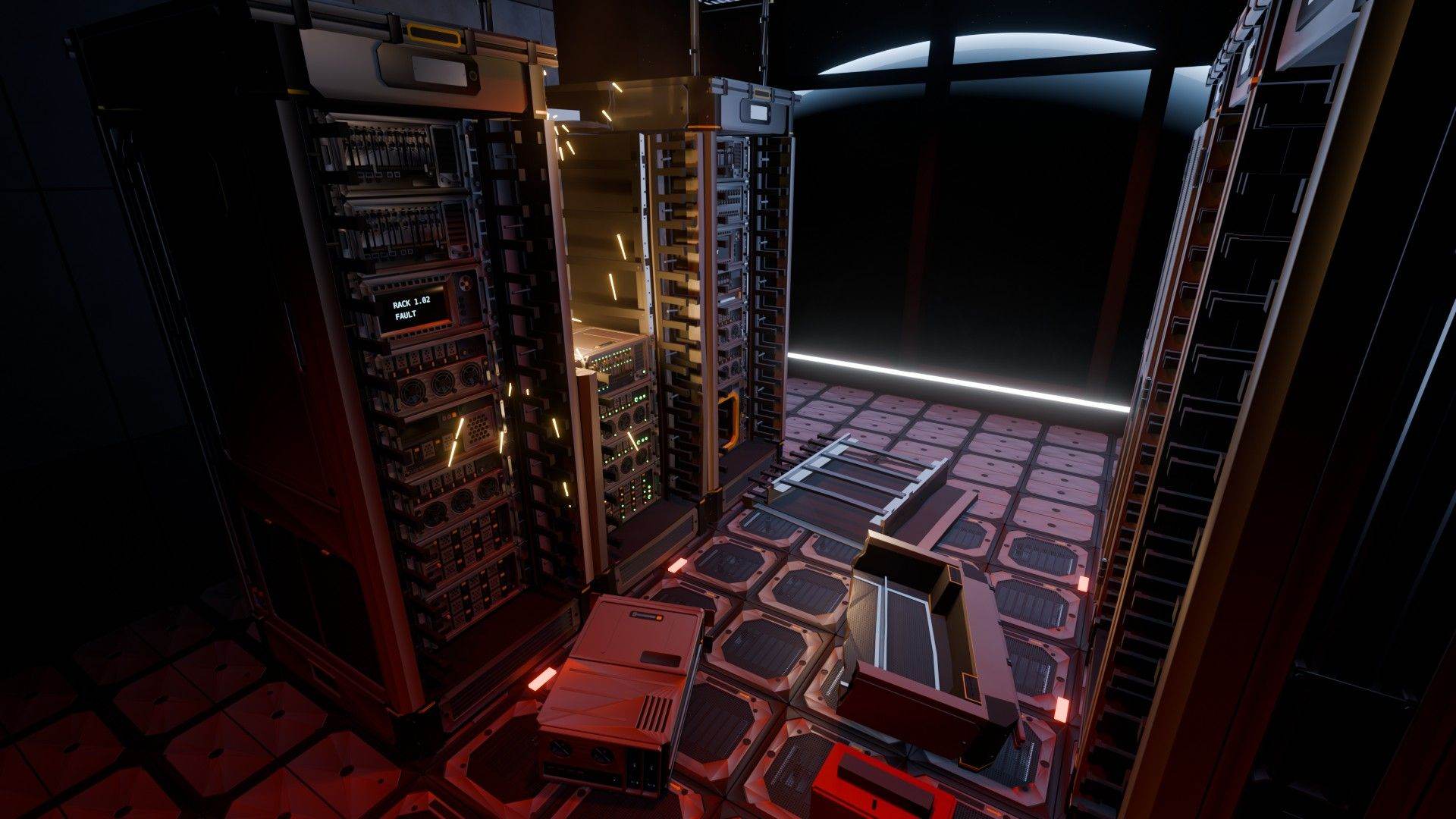
Every block builds the way vanilla blocks do: a see-through cage until it's 30 % done, then the frame, with lamps, screens and cables going in last. Shoot one and you get the game's damaged look, sparks, smoke and fire, and when a section breaks off you see a solid inside with torn wiring instead of an empty box.
Scripts, if you want them
Everything above works without scripts. If you launch the game with -loadScripts, you also get a smoother KVM drawer that waits for the rack doors to open before it comes out, and a Programmable server that actually runs your code. Saves are identical either way, so you can switch back and forth. Keen, the offer from last time still stands.
What's next
0.9 means close, not done. Block names, costs and PCU can still change before 1.0, so keep that in mind before you build something enormous. After that it depends a lot on what people build and what they ask for. Ideas for new rack servers are very welcome in the GitHub Discussions.
Get it
Go build something we didn't think of.
*The pictures and clips in this post are renders of the mod's own models, not in-game screenshots.*